
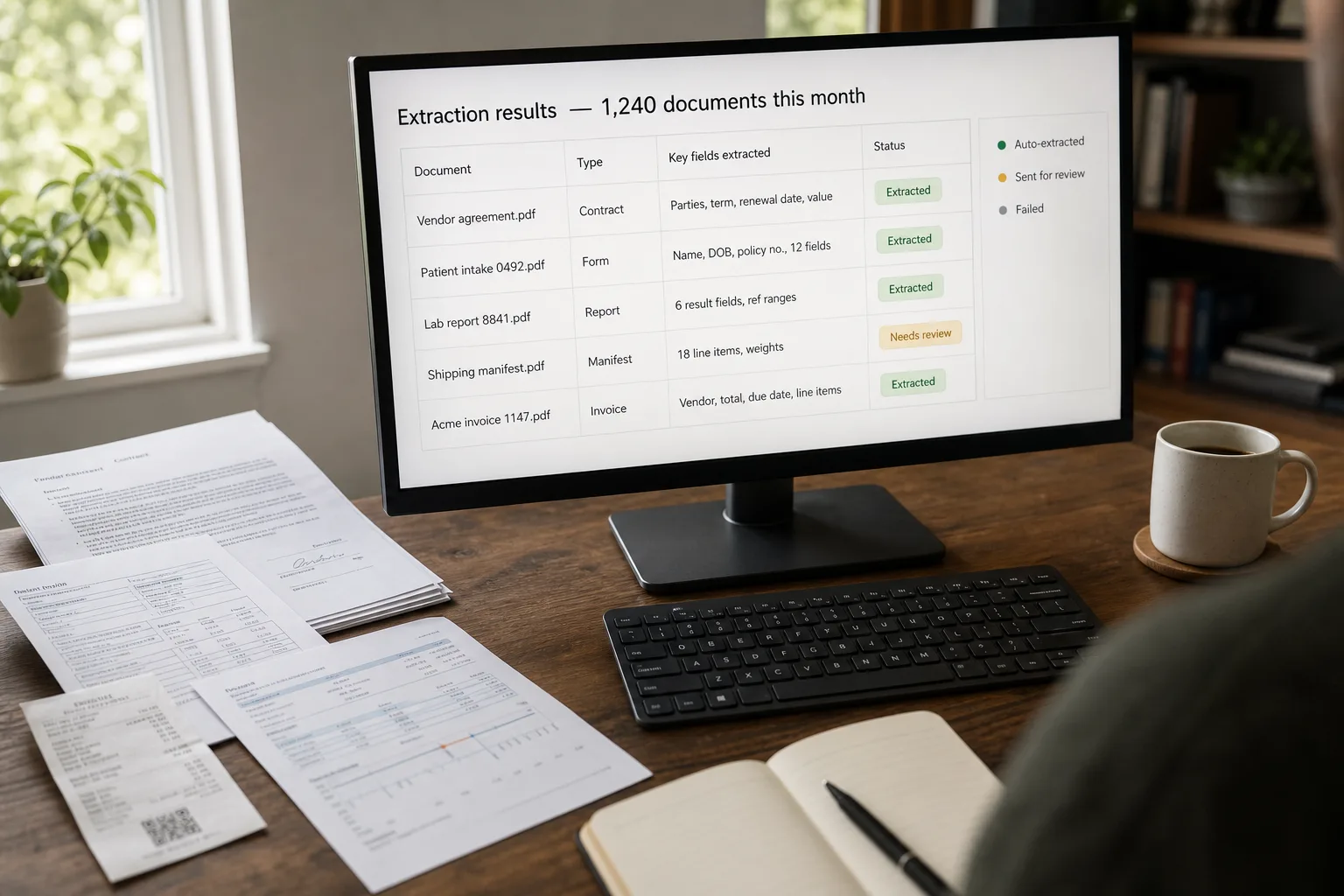
Structured data extraction from PDFs is the practice of turning each PDF — an invoice, a contract, a form, a receipt, a scan — into named fields that can flow straight into your database or accounting system. Vendor name, total, due date, line items: out of the document, into the row, without anyone retyping.
Almost every operations team has the same problem: PDFs come in, structured data is needed, and the gap is staffed by people retyping fields into spreadsheets. Modern multimodal LLMs — large language models that can read images as well as text — and specialised document AI services have made this category genuinely solvable at production volume for the first time. The question is which tool, when, and how to handle the long tail of documents that don’t fit the happy path.
From here: the workflow we use when building these pipelines. It assumes a real corpus (hundreds to millions of documents per month), real diversity (clean digital PDFs, low-quality scans, multi-page contracts), and real consequences for getting it wrong (a wrong invoice total ends up in the books).
Where this fits — and where it doesn't
Use this if you have a recurring stream of PDFs with extractable structure (invoices, forms, contracts, receipts, statements, lab reports, manifests), the volume is enough that manual entry is a real cost, and the downstream system needs the data in a structured shape (database, accounting system, data warehouse).
Don’t use this if you have a one-off dump of documents (a person can read 200 PDFs in two days; building a pipeline for them is wasted effort), the documents are highly variable with no recurring structure (every PDF is a unique creative document — see When AI is the wrong tool), or the data extraction needs to be 100% accurate with no human review (no production-grade extractor delivers that today; you need a verification step).
What you'll need before starting
- 50–100 representative PDFs from your real corpus — clean ones and messy ones, in roughly the proportion you see in production. No synthetic samples.
- The exact schema you want extracted, written down field-by-field with type and constraint (e.g.
invoice_totalis decimal with two-place precision;due_dateis ISO-8601;line_itemsis an array of{description, quantity, unit_price, total}). - An API key with one of: Anthropic (Claude), OpenAI (GPT), Google (Gemini Document AI), AWS (Textract), or Azure (Document Intelligence).
- A validation harness — at minimum, a spreadsheet of
(filename, expected_field, expected_value)tuples for the 50–100 sample documents. This is what tells you whether your pipeline is working.
Six steps to a working extraction pipeline
- Pick your extraction path — the LLM-direct vs. specialised-OCR decision determines everything else
Three viable paths in 2026: LLM-direct (send the PDF to Claude / GPT / Gemini with a structured-output prompt), specialised OCR (AWS Textract for forms, Azure Document Intelligence for custom models, Google Document AI for multilingual), or hybrid (specialised OCR for raw text/layout extraction, LLM for the field-level structuring on top). Default rule: LLM-direct for clean digital PDFs and unique document types where you don’t have a model trained for them; specialised OCR for high-volume invoice/receipt/form processing where the document type is standard and pre-trained models exist; hybrid for messy scans, multi-language, or documents where layout matters as much as content.
- Pre-process to give the model a fighting chance
Garbage in, garbage out applies fully here. For scanned PDFs, rotate to correct orientation, deskew (correct slight angles), and bump contrast/resolution if the scan is below ~200 DPI. For digital PDFs, no pre-processing needed. For mixed corpora, a routing step that classifies each PDF as digital vs. scanned and applies the right path is worth the day it takes to build. Tools:
pdftoppmfor rasterisation,OpenCVorImageMagickfor cleanup,Tesseractas a free OCR baseline on a budget. - Send to the model with an explicit schema and a “don’t know” path
Don’t ask “extract the invoice details.” Ask for a specific JSON shape and tell the model what to do when a field is missing. Modern flagship models (Claude 4.6+, GPT-5.5, Gemini 3.x) support structured outputs natively — pass the schema, get back JSON that conforms. Critically, instruct: “If a field is not visible in the document, return null. Do not guess.” Models that fabricate plausible values are the failure mode that ships to production undetected.
- Validate every extraction — at the schema level and the business-rule level
Two layers. Schema validation: does the JSON match the expected types? Are required fields non-null? Use a JSON-schema validator (
pydanticin Python,zodin TypeScript). Business-rule validation: do the line items sum to the invoice total within rounding? Is the date in the past? Is the vendor known to your system? These rules catch hallucinated numbers that pass schema checks. Anything that fails either layer goes to the human-review queue — not silently, not into production. - Build the human-review queue from day one — not as a v2 feature
Every production extraction pipeline has a “needs review” path; the question is whether you build it on day one or after the first incident. Failure modes that should route to review: schema validation failure, business-rule failure, low-confidence flag from the model (most managed APIs return a confidence score; LLMs can be prompted to self-rate), document type the classifier didn’t recognise. The reviewer fixes the data and submits — those corrections become training data for tuning the next iteration.
- Measure and re-tune monthly with the validation set
Run your 50–100-document validation set monthly and after every change (prompt update, model upgrade, pre-processing tweak). Track field-level accuracy (per field, not just overall) and category-level accuracy (clean vs. scanned, vendor X vs. Y). The numbers tell you where to focus. The team that runs this discipline catches model regressions and degrading vendor PDFs before users complain.
What it costs and what to expect
The “98% accuracy” headlines from vendor benchmarks are real but apply to clean documents. Your real-world accuracy will sit lower; budget for it.
Other ways to solve this
LandingAI ADE. Newer in 2026; strong on documents that need coordinate-based citations (i.e. “where exactly on the page did this number come from?”). Worth evaluating for regulated environments where audit traceability matters.
Open-source self-hosted (Tesseract + Unstructured + local LLM). Full data control, $0 per-document marginal cost, more setup. Right answer for privacy-sensitive corpora that can’t go to a cloud API. Plan for engineering time on the order of 4–8 weeks for a production-quality pipeline.
Vendor-specific tools (BILL [formerly Bill.com] for AP, Concur for expense, Docusign Insight for contracts). If your problem is exactly one of these standardised use cases, vertical-specific tools beat building from foundations. Lock-in is real; pricing is per-seat or per-document and adds up at volume.
Manual entry with AI assistance. A spreadsheet with a sidebar that suggests values from the document via the API — humans confirm. Lower volume; near-perfect accuracy; useful for the long tail your pipeline correctly routes to review.
FAQ
Should I use a multimodal LLM or specialised OCR?
Default to LLM-direct (Claude / GPT / Gemini) for the prototype — it's the fastest path to a working pipeline and benchmarks well on clean digital PDFs. Switch to specialised OCR (Textract, Document Intelligence, Document AI) when (a) you're processing more than ~10,000 pages/month and the per-page cost matters, (b) your documents fit a pre-trained category like invoices/receipts/forms where vendors have years of accuracy advantage, or (c) you need stronger handling of scanned/handwritten content. Hybrid approaches (OCR for layout, LLM for field structuring) are common in production.
How do I handle handwritten content?
GPT-4V's training included diverse handwriting and remains strong here; Claude is competitive but uneven. AWS Textract has had handwriting-specific support for years and is a reliable specialised choice. For high-volume handwritten extraction (medical forms, intake documents), the right answer is usually specialised OCR with a human-review queue — handwriting accuracy below 90% is common across all tools and review is cheaper than chasing the last few points.
What about tables — they're always the hardest part
Tables are where naive pipelines lose the most accuracy. The vendor with the best table-extraction reputation in 2026 is Google Document AI (cited in benchmarks as the strongest on complex multi-column / nested layouts), with Azure and AWS close behind. LlamaParse is the leading choice in the AI-pipeline ecosystem. If you're extracting tables, test specifically on tables — overall benchmark scores are misleading because they average tables with simpler fields.
Will the LLM hallucinate values?
Yes, and it's the most dangerous failure mode in this category. Three mitigations, all required: (1) instruct the model to return null for missing fields and never guess, (2) validate every output against your business rules (line items sum to total, dates are sensible, vendor IDs exist in your system), (3) flag low-confidence extractions for human review. The model that fabricates a plausible invoice total is the one that ships wrong numbers to your books.
How much does the model version matter?
More than you'd think. Each major flagship release in the multimodal space has measurably moved the accuracy bar; benchmarks from a year ago understate current capability. Re-evaluate every 6 months — the cost of running your validation set against the latest models is hours; the upside of catching a meaningful improvement is months of accuracy.
What about PDF privacy — sending sensitive documents to a third party?
Default API plans of all major vendors do not train on your data, but the documents are still being processed on third-party infrastructure. For regulated content (PHI, financial, classified), check the vendor's compliance posture (HIPAA BAA, SOC 2, GDPR processing terms) and consider self-hosted alternatives. Open-source pipelines based on Tesseract or PaddleOCR with a local LLM keep documents on-prem at the cost of more engineering work.
