
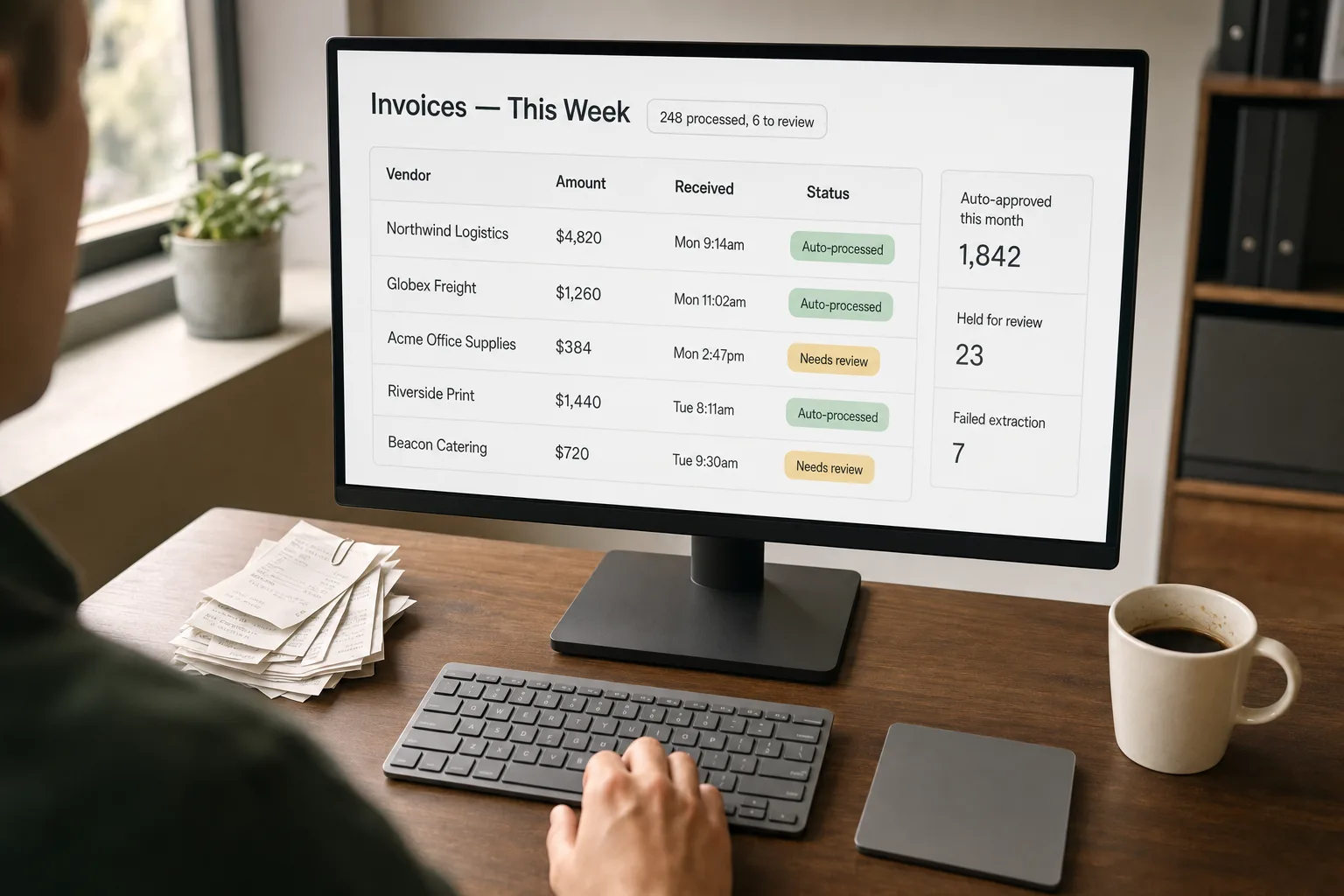
Most invoices arrive as PDFs. The numbers inside them — vendor name, total, tax, line items, due date — need to end up in your accounting software (QuickBooks, Xero, NetSuite, or whatever you use). In most companies, someone reads each PDF and types those numbers in. That someone is usually doing it after hours because the invoices arrived all week.
AI can read those PDFs and pull the numbers out automatically. The catch is that real-world invoices don’t follow one consistent layout — every vendor has a different template, and templates change. A pipeline that works perfectly on one sample PDF often falls apart on the next batch of real ones.
What follows is the approach that survives real vendor variety: how to combine an AI model that can read documents (like Claude, GPT-4o, or Gemini) with rules that catch silent mistakes, confidence checks that send only the genuinely uncertain cases to a human, and a queue that turns the long tail of odd invoices into a manageable workflow rather than an open-ended pile.
Where this fits — and where it doesn't
Use this if you process 100+ invoices a month, the volume is growing, and the AP team is currently keying data into the accounting system by hand. Common fits: agencies processing vendor bills, ecommerce ops handling supplier invoices, services businesses with subcontractor invoicing, finance teams in growing startups. The leverage is real — a half-time AP clerk can typically handle 4–6x more volume with the pipeline in place, and the error rate drops below manual baseline.
Don’t use this if your invoice volume is under 50/month (manual entry is faster than the system you’d build), your invoices are all from one vendor in a stable format (a custom regex parser is simpler and more reliable), or your accounting workflow requires line-item GL coding that depends on context the document doesn’t contain. The last case is the most common reason these projects stall — the AI extracts the data fine, but mapping line items to GL codes still requires judgement, and that’s where the bottleneck moves.
What you'll need before starting
- Sample invoices and receipts covering your top 10–20 vendors. Real ones, not templates. The system you build is only as good as the variety in your training sample.
- A vision-capable model API — Claude, GPT, or Gemini all handle document understanding well, with Claude and GPT-4o currently slightly ahead on table-heavy layouts.
- A specialised OCR option as a baseline — AWS Textract, Google Document AI, or Mindee. The specialised services handle the OCR cleanup; LLMs handle the structured extraction on top.
- API access to your accounting system — QuickBooks, Xero, NetSuite, or whatever you use. Without the route-back integration, the pipeline produces clean data that lands nowhere useful.
- A clear definition of what counts as “needs human review.” Confidence thresholds, value thresholds, vendor flags. We’ll lock these in step 5; without them, everything gets reviewed and the pipeline saves nothing.
Six steps to invoices that flow without keying
- Map your invoice shapes — vendor groups matter more than total count
Audit your top 20 vendors and group invoices by layout family. Most teams discover their “100 different invoices” are really 8–12 layout families plus a long tail. Each family extracts well with a single prompt; the long tail benefits from the LLM’s flexibility. The mapping pass takes a few hours and shapes the rest of the pipeline — without it, you build a one-size-fits-all extractor that under-performs on every family.
- Choose the extraction tier — specialised OCR for clean templates, LLM for the messy ones
For invoices from large vendors with stable templates (utility bills, SaaS subscriptions, major suppliers), specialised OCR services hit 95%+ accuracy at low per-document cost. For the messy ones — handwritten, photographed receipts, weird layouts, multi-page consolidated invoices — vision-capable LLMs handle the variety. Most production pipelines run both: specialised OCR as the first pass, LLM fallback for documents where OCR confidence is low or fields are missing.
- Extract with structured output, line-item depth
Ask the model to return a JSON object with: vendor name, vendor address, invoice number, invoice date, due date, currency, subtotal, tax amount, total, payment terms, and an array of line items (description, quantity, unit price, line total). Use the structured-output / function-calling features of your vendor so parsing is guaranteed. Line-item extraction is the differentiator from simple receipt OCR — the totals-only view loses the information AP needs for cost allocation and GL coding.
- Validate against business rules — deterministic checks, not AI judgement
Run a set of rules against every extracted invoice: (1) line items sum to subtotal (within rounding); (2) subtotal plus tax equals total; (3) vendor name matches an entry in your vendor master (fuzzy match acceptable); (4) currency is one you accept; (5) invoice date is within an acceptable window (no invoices from 2003, no future-dated ones unless allowed). Each rule that fails is a flag; the model didn’t necessarily hallucinate, but the document needs human eyes. Validation is the single largest accuracy lever; teams that skip it discover the silent failures during a month-end close.
- Route by confidence and dollar amount — only the ambiguous cases reach humans
Three routes per invoice: (a) high confidence + low dollar amount + known vendor → auto-post to accounting with a daily summary for review; (b) high confidence + amount above threshold OR new vendor → route to approval queue (manager review); (c) low confidence OR failed validation → exception queue with extracted data, source PDF, and failed checks attached. The thresholds are the levers — start conservative ($500 auto-post cap, 0.85 confidence floor) and tune from real audit data after a month.
- Track every exception — the pattern in the failures is the next improvement
Log every exception with the vendor, the failure reason, and the manual correction. Once a month, review the patterns. If vendor X consistently fails extraction, build a vendor-specific prompt or template. If one validation rule fires frequently, the rule may be too strict. If the same field is missed across vendors, the prompt may need tuning. The exception log is the feedback loop that turns a 70%-accurate pipeline at month one into a 95%-accurate pipeline at month six.
What it costs and what to expect
The per-document cost is small enough that the cost of running the pipeline is dwarfed by the labour savings. The auto-post rate is the operational metric — that’s what determines how much of the AP team’s time the pipeline actually returns.
Other ways to solve this
Managed AP automation services (BILL [formerly Bill.com], Tipalti, Stampli, Rossum [now part of Coupa], AvidXchange). Turnkey workflows with built-in extraction, approvals, and payment integration. Right answer for teams that want the AP automation problem solved without building. Trade-offs: per-document or per-seat pricing that adds up at scale, less control over the extraction logic, and vendor lock-in. Strong fit for finance teams that prioritise compliance and audit features.
Specialised OCR-only services (Mindee, Veryfi, Klippa, Docsumo). Lower per-document cost than managed services, just the extraction layer — you build the routing and approval workflow on top. Good middle path for engineering-capable teams who want to control the workflow without building the OCR layer from scratch.
Email-rule + bookkeeping integration. Many small teams route invoices through email rules into a bookkeeping inbox (QuickBooks Receipt Capture, Xero’s Hubdoc, FreshBooks). Light automation; works at low volume; doesn’t scale past ~50 invoices/month or when line-item detail matters. The right answer for early-stage businesses that aren’t yet at the volume to justify a real pipeline.
Manual entry, no AI. Still the right answer for low-volume businesses where the labour cost is small. The threshold to automate is roughly: when invoice processing eats more than half a day of someone’s week, the AI pipeline starts paying off within a quarter.
Related work
For the broader document-extraction pattern that this fits inside, see Extract structured data from PDFs. For classifying invoices versus other document types before extraction, see Document classification at scale. For pulling action items out of invoice-related email threads (approvals, payment confirmations), see Email-to-task automation. For the side-by-side of the specialised document AI services that often handle the OCR tier, see Document AI services compared.
FAQ
What about non-PDF formats — emails, photos, scanned paper?
All three are handled by the same vision-capable LLM tier. Photographed receipts from phones are particularly common in expense workflows; modern vision models handle them well after light pre-processing (crop, deskew, contrast adjustment). Specialised OCR services handle scanned-paper invoices reliably; photographed handwritten receipts are the hardest case and benefit from the LLM tier's flexibility.
How do I handle GL coding — mapping line items to my chart of accounts?
Two-stage pattern. First, extract the line items (this workflow). Second, classify each line item against your GL chart using a separate prompt that includes the chart of accounts and 5–10 example line items per category. GL classification is harder than extraction because it depends on business context the document doesn't always reveal; expect 75–85% auto-classify rate, with the rest going to a finance reviewer. The classification step also benefits from learning over time — store the human corrections and use them as few-shot examples.
What about multi-currency or international VAT/GST handling?
Currency extraction is straightforward — modern models read currency symbols and codes reliably. VAT/GST handling requires a layered approach: extract the rate and amount from the invoice, then validate against your local tax rules. For cross-border invoices (different VAT rates by country), you'll likely need a tax-engine integration (Avalara, TaxJar) rather than relying solely on extracted data. The extraction pipeline produces the raw data; the tax engine applies the rules.
Can I trust this for tax-deductible expense reporting and audits?
The extraction itself is auditable — every extracted field can link back to the source document, and the validation rules produce an audit trail. For tax purposes, what matters is the source-document retention (keep the original PDF), the audit log of who reviewed and approved each invoice, and the chain of custody to your accounting system. AI-assisted extraction is well-accepted by auditors today provided the underlying documents and approval workflow are intact. Talk to your accountant before building if you're in a heavily-regulated industry — healthcare, financial services, government contractors have additional requirements.
What if a vendor changes their invoice template?
The pipeline degrades gracefully — confidence drops for that vendor, validation rules start firing, and the documents land in the exception queue. The exception log surfaces the pattern within a few invoices. The fix is usually to update the prompt with an example from the new template; specialised OCR services typically auto-adapt within a few documents. The failure mode is silent only if you skip the exception monitoring; the visible mode is recoverable in a day or two.
How do I integrate this with QuickBooks / Xero / NetSuite?
All three offer APIs for bill creation. The integration pattern: after extraction and validation, create a draft bill in the accounting system with the extracted data; route through the system's approval workflow rather than building your own. This keeps the audit trail in the accounting system where finance expects it. For QuickBooks Online specifically, the Receipt Capture API is a reasonable shortcut for receipts under ~$1,000; full invoice processing typically warrants the more flexible Bills API.
