
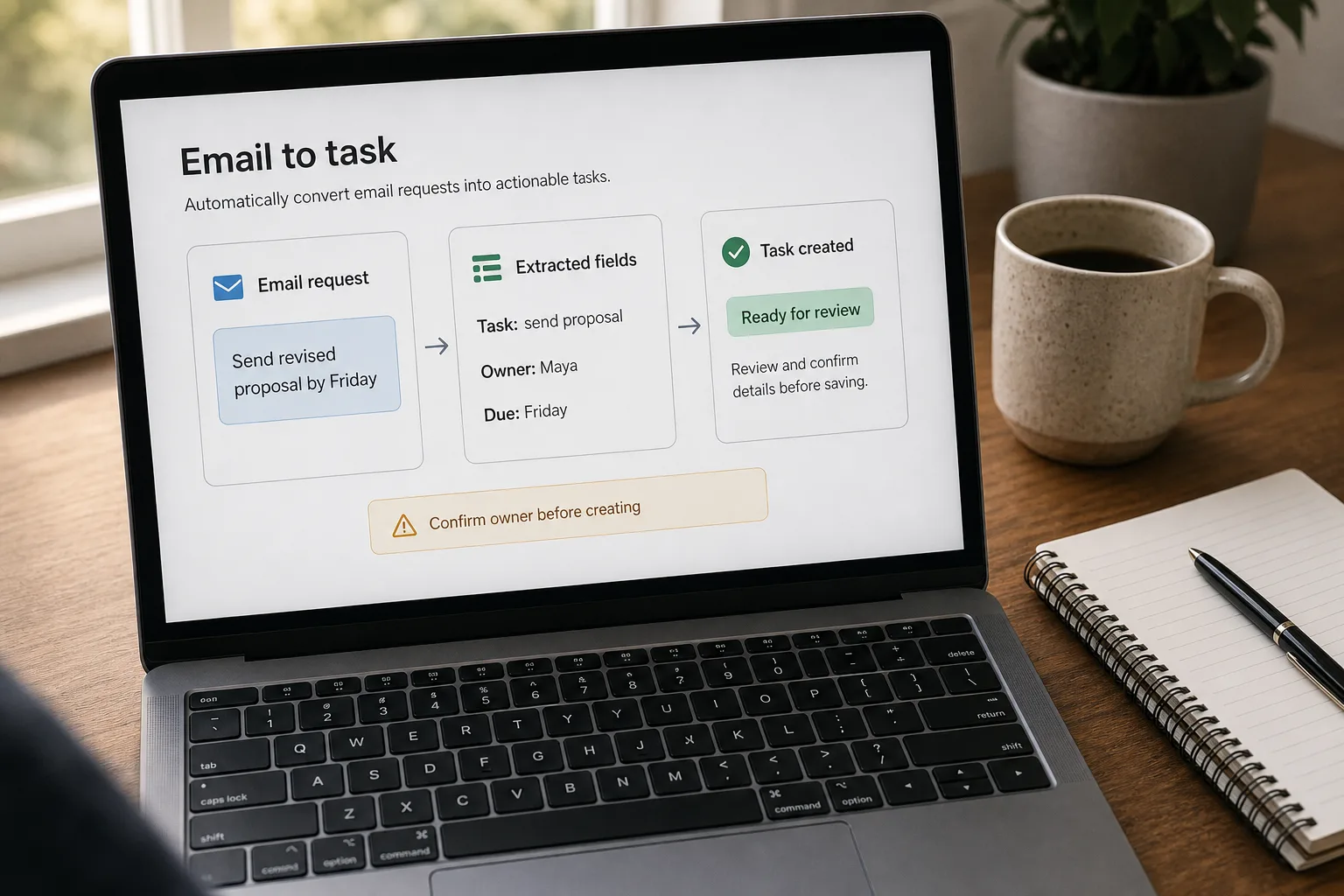
Email-to-task automation is a workflow that watches your inbox, identifies the real action items hiding inside (“can you send the contract by Friday,” “please review the proposal”), and writes each one into your task tracker — Linear, Asana, Notion, Todoist — with a link back to the source email.
Most “email-to-task” projects produce two problems instead of one. The first version of the pipeline finds tasks in every email — including “thanks for the update,” “looking forward to it,” and “let me know if questions” — and your task system fills with two hundred false positives in a week. The second version overcorrects and finds tasks in nothing, including “can you send the contract by Friday,” and you go back to capturing manually.
The fix is not a smarter extraction prompt. It’s a workflow that separates extraction from acceptance: the model extracts candidate tasks aggressively, a deterministic gate filters out the ones that aren’t really tasks for you, and a close-the-loop hook marks the source email when the task gets done. This piece is that workflow — the extraction shape, the gate criteria, the metadata that makes the resulting tasks useful, and the audit pass that keeps the system honest.
Where this fits — and where it doesn't
Use this if your inbox volume is 50+ messages a day, you regularly commit to deadlines in email replies and forget them later, and you have a task tracker the team actually uses (not aspirationally — actually). The workflow works because inbound email is the single largest source of commitment-leakage in most operational roles, and the structured-extraction-plus-gate pattern reliably catches 90%+ of the real asks once tuned. The catch is that it only helps if the resulting tasks land somewhere that gets reviewed.
Don’t use this if your inbox is under 30 messages a day (manual capture is faster than the system you’d build), your work is fundamentally reactive (each day is determined by what arrives, not by tracked commitments), or your task tracker is aspirational. A pipeline that creates tasks nobody reviews is worse than no pipeline — it produces a guilt trail. Pair this with Triage inbound email at scale — triage decides what gets read; this decides what gets tracked.
What you'll need before starting
- API access to a task tracker — Linear, Asana, Notion, Todoist, ClickUp, Trello, GitHub Issues, or whatever you actually use. The integration matters more than the specific vendor.
- An LLM API key — Claude, GPT, or Gemini all extract well at this task. Pick the cheap-tier model at this volume; the differentiator is cost-per-message, not capability.
- A working definition of “what counts as a task for me/us” — narrower than the model’s default. Write it as a prompt-ready paragraph with two or three positive and negative examples each.
- An owner-inference rule. The default model behaviour is to claim every task is yours; you need an explicit rule for “if the email says ‘Sarah will send the deck’ the task is Sarah’s, not mine.”
- A close-the-loop hook. When a task is marked done in the tracker, what happens in the source email thread? At minimum: a label. Better: a reply or a forward to the original sender.
Six steps to a task pipeline that doesn't drown you
- Write the task definition into the prompt — explicit and narrow
The model’s default “what is a task” is way too generous. Replace it with an explicit definition: “A task is an explicit ask that requires action from me or my team, with a clear verb and object, where my action is the next step. Examples that count: ‘send the contract by Friday,’ ‘review the proposal,’ ‘schedule a call with X.’ Examples that don’t count: ‘thanks for sending,’ ‘looking forward to next week,’ ‘let me know if you have questions,’ ‘we should probably think about Y.’” The two or three negative examples do more work than the positive ones — most false positives match a shape the negatives explicitly exclude.
- Extract with structured output — JSON array, one entry per candidate task
Ask the model to return a list of candidate tasks per email, each with five fields: a one-sentence description, the claimed owner (you, a specific teammate, or the sender themselves), the claimed due date (or the literal string “unspecified”), the verbatim source quote from the email, and a confidence score. The source-quote field is the lever — it lets the next step verify that the model didn’t extract a task out of thin air, and it gives the human reviewer a one-glance check when something looks off. Use the structured-output / function-calling features of your vendor so parsing is guaranteed.
- Apply the “is this actually a task for me?” gate — deterministic, not another LLM call
The gate is rules, not judgement. Reject candidates where: the claimed owner is not you or your team; confidence is below a tunable threshold (start at 0.7); the source quote doesn’t actually contain a verb-object pair (an anti-hallucination check); or the candidate semantically duplicates an existing open task in your tracker (embedding similarity above ~0.85). Each of these rejection paths logs the reason so the weekly audit can spot patterns. This step typically rejects 50–70% of raw extractions — that’s normal, and it’s the whole point.
- Enrich the surviving candidates with metadata — source link, context, default due date
For each candidate that survives the gate, attach: a deep link back to the source email (Gmail or Outlook message permalink), a one-sentence context summary of the thread, the sender’s name and domain, and a due date. The due-date field needs the most care — models will happily invent “Friday” when the email said no such thing. If the model returned “unspecified” or the date doesn’t appear verbatim in the source quote, use a default (“review and date — 7-day soft deadline”) rather than letting the invention stand. A hallucinated deadline is worse than no deadline; the soft default at least flags the task as needing human triage.
- Route to the tracker — one task per real ask, with semantic de-dup at the boundary
Push each enriched candidate to the task system via API. Before creating, run a final de-dup check against open tasks: embed the candidate description, compare against embeddings of all open tasks, reject if cosine similarity is above ~0.85. This catches the common pattern where a thread has six replies and each new message re-extracts the same underlying ask. Tune the threshold from real data after a few weeks — too high and you get duplicates from rephrased asks; too low and follow-up asks get swallowed by the original.
- Close the loop — when a task is done, reflect that back into the source thread
The hook that fires when a task is marked done in the tracker should do something visible in the source email: apply a “completed” label, send a brief reply to the original sender (“done — see [link]”), or move the thread to a “closed” folder. Without this hook, the inbox and the task tracker drift into two separate sources of truth — and the email pile keeps growing under a “I’ll get to that” weight that the task system was supposed to remove. The close-the-loop step is the single highest-leverage piece of this workflow; teams that skip it find they’ve added a tracking surface, not removed one.
What it costs and what to expect
The cost number tells you this is approachable for any team running modest email volume. The false-positive numbers tell you the gate is doing the real work; the close-the-loop adoption ceiling tells you the integration with email is what makes or breaks long-term use.
Other ways to solve this
Email-client plugins (Reclaim AI, Motion, Sunsama, SaneBox Reminders). Turnkey UI, decent extraction quality, monthly per-seat cost. Right answer for individual operators who want a working solution without code. Trade-off: less prompt control and an opaque task definition. Good for personal productivity; weaker fit for teams that want a shared definition of what counts as a task.
Generic AI assistants with task-system integrations (ChatGPT with Linear / Asana, Claude with Notion). Easier setup than a custom pipeline; the AI does the extraction, you accept or reject each suggestion. Lower automation, higher quality per task — works well for people who want assistance rather than automation. The throughput cap is your attention.
Manual capture, no AI. Still the right answer for inboxes under 30 messages a day, or roles where the cost of false-positive tasks outweighs the cost of occasionally missing one. The threshold to add AI is roughly: when you stop trusting your own capture, automate it.
IFTTT / Zapier with keyword triggers. Deterministic (“if subject contains ‘TODO’ or ‘action required’ → create task”). Brittle, misses implicit asks (most real tasks don’t include the word “task” or “TODO”), but predictable. Useful as a baseline layer for known-shape automated emails — calendar invites, monitoring alerts, billing notices — that get pre-routed before the LLM sees them.
Related work
For the upstream classifier that decides which messages get the extractor in the first place, see Triage inbound email at scale. For the same extraction pattern applied to support tickets in a helpdesk rather than raw email, see Auto-categorize support tickets. For summarising the threads that triage surfaces as needing attention, see Summarize long email threads. For the broader category of “the model is confidently wrong” failures — especially the invented-due-date problem — see AI hallucinations explained.
FAQ
What if one email contains multiple tasks?
The structured-extraction prompt should ask for a list, not a single object. A typical email-thread reply ('I'll send the contract Monday, can you review the deck by Wednesday, and we should schedule next steps') is three tasks with three different owners and three different deadlines. Let the model return all three; let the gate filter; let the de-dup catch duplicates from subsequent thread updates. Designing for one-task-per-email under-extracts and hides the multi-ask case behind a single representative task.
How do I handle conditional tasks — 'if X happens, do Y'?
Two patterns. Strict: reject conditional tasks at the gate; they're not actionable today, they're contingencies. Permissive: accept them with a 'conditional' tag and the trigger condition as metadata, so the daily review surfaces them when the condition becomes relevant. Pick based on your tracker's UI: if conditional tasks clutter the active view, reject them; if they live in a side panel cleanly, accept and tag. Most teams start strict and add the permissive path only after the audit shows real value being missed.
What about commitments I make in emails I send — promises to others?
Run the extractor on your sent folder too. The owner-inference rule needs adjusting: in sent mail, you're the sender, and tasks you've committed to are still yours — the model can be more aggressive about claiming ownership. This is the highest-value extraction surface for many roles, because outgoing commitments are the ones most often forgotten — you wrote them, you moved on, and the recipient is the one tracking it for now. Capturing your own commitments before they become someone else's follow-up is the workflow many people came here for.
How do I prevent task-system noise as the pipeline matures?
Three patterns. First, the de-dup threshold is the single biggest lever — tune it from real data, not defaults. Second, archive tasks in the tracker on a regular cadence; an accumulating pile of stale tasks is its own noise source. Third, audit weekly for which tasks were created by the pipeline and never reviewed — those are signals that either the gate is too permissive or the tracker isn't getting the attention the pipeline assumes. The pipeline is only as good as the review cadence behind it.
Does this work for shared team inboxes?
Yes, with two adjustments. The owner-inference step needs to route by category-to-teammate ('billing questions go to Alex; engineering asks go to Sam') rather than a single owner. And the gate threshold can be lower because team review surfaces missed tasks faster than solo review. The helpdesk equivalent of this is well-trodden territory — see auto-categorize support tickets for the routing pattern, which transfers directly to shared email.
Should I re-extract from every new message in a thread, or just the first?
Re-extract on every new message. A thread that started as informational becomes actionable two replies later when someone adds a deadline. The semantic de-dup check in step 5 prevents duplicate tasks from re-extraction on threads where the ask hasn't changed — it's cheap and catches the common case automatically. The failure mode of skipping re-extraction (missed asks that emerged mid-thread) is exactly the kind of false negative the workflow is meant to prevent.