
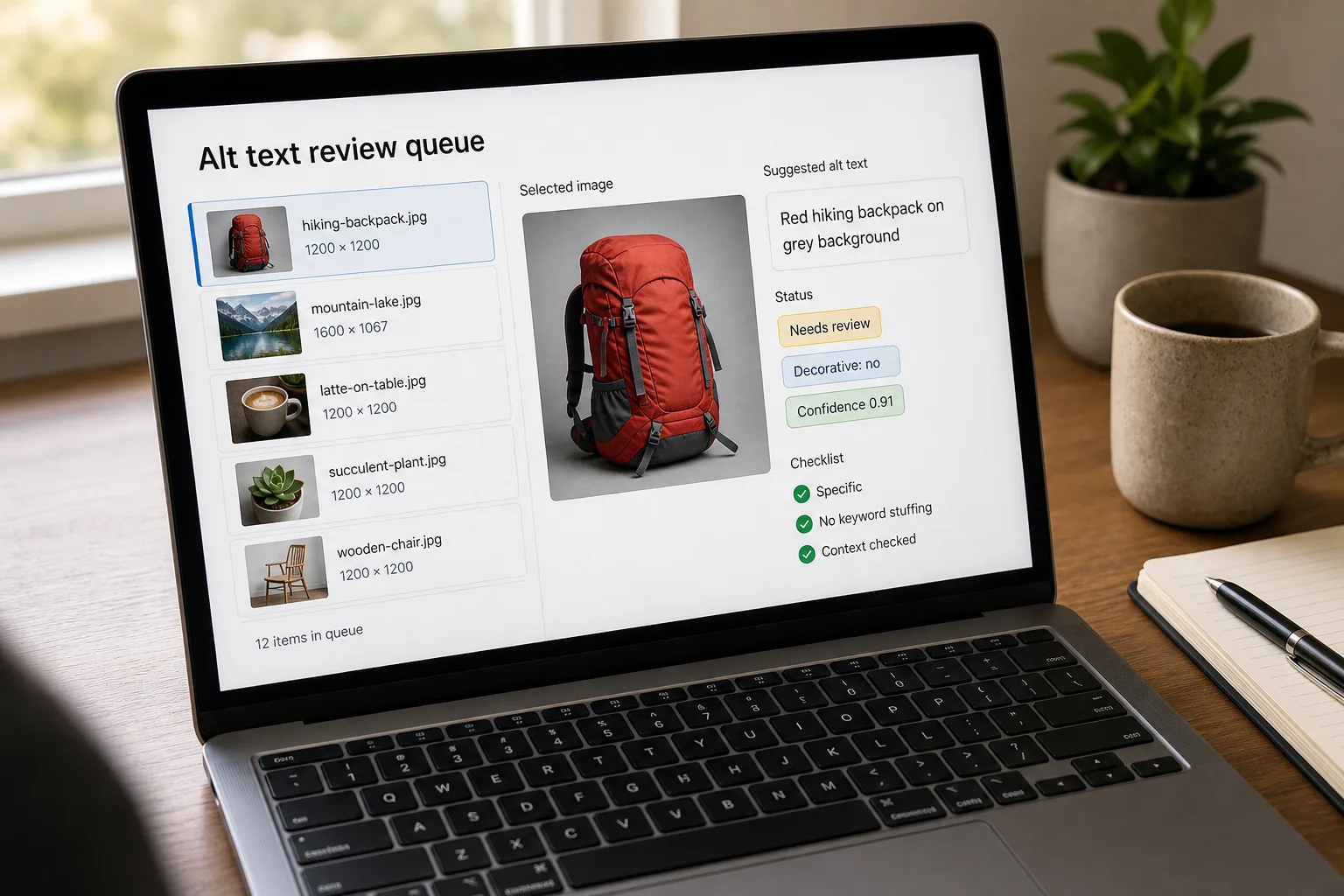
Alt text is the short written description of an image that screen readers speak aloud and that appears when an image fails to load. It’s the single biggest lever in web accessibility. Missing alt text is the most common accessibility failure on the web — found on more than half of all pages — and the most-cited WCAG violation in digital accessibility lawsuits.
With the ADA Title II deadline for US public entities (≥50,000 population) landing on 26 April 2027 — and 26 April 2028 for smaller entities — plus the EU Accessibility Act enforcement layered on top, “we’ll add alt text later” is now a real liability.
The good news: modern multimodal models — large language models that can see images as well as read text — can describe images well enough to take the bulk of the work away from humans, leaving only editorial review and the genuinely tricky cases. This piece is the workflow that does that without sacrificing quality.
Where this fits — and where it doesn't
Use this if you have hundreds or thousands of images to describe, the images are reasonably mainstream content (products, people, landscapes, infographics, screenshots), and you have a way to route low-confidence outputs to a human reviewer. Common fits: ecommerce product catalogues, content archives, image-heavy marketing sites, news organisations.
Don’t use this if your image set is small (50–100 images can be hand-written in a day with better quality), the images are art / editorial / fashion / medical where context is half the meaning (AI descriptions consistently miss the why of these images), or you can’t budget any human review time. Pure-AI alt text without review is often technically wrong, generic, or wrong in subtle ways that hurt accessibility instead of helping it.
What you'll need before starting
- Your image archive in a form you can iterate over programmatically (S3 bucket, CDN, file folder, CMS export).
- Knowledge of the purpose of each image — is it informational, functional (a button), decorative, or complex (an infographic, chart)? Different categories need different alt text. The W3C alt-text decision tree (linked in resources) is the canonical reference.
- An API key for one multimodal vendor (Claude, GPT-5.5, or Gemini 3.1) — or a managed service (AltText.ai, Cloudinary AI).
- A reviewer queue — even a simple “flagged for review” tag in your CMS works for v1.
Six steps to alt text at scale
- Classify each image’s purpose first — and skip the decorative ones
The most common alt-text mistake is treating every image the same. Decorative images (background patterns, ornamental dividers) should have
alt=""— empty alt — so screen readers skip them. Functional images (a magnifying-glass icon that opens search) should describe the function, not the icon (“Search” not “magnifying glass”). Informational images need descriptive alt text. Complex images (charts, infographics) need short alt + longer description elsewhere on the page. Many pipelines skip this step and over-describe decorative images, which is worse for accessibility than no alt text — it adds noise to the screen-reader experience. - Write the standing prompt — accuracy and brevity, not poetry
Default vision-model output is too long, too flowery, and over-describes. Override with a tight prompt:
- “Describe this image for a screen-reader user."
- "Aim for 100–125 characters; many screen readers truncate beyond that."
- "Lead with the most important element, not the medium (‘a photo of…’ is wasted text)."
- "State what’s pictured, not what’s evoked. No interpretive language (‘beautiful,’ ‘striking’)."
- "If the image contains text, transcribe the text verbatim."
- "For products, name the product, key visual attributes, and orientation."
- "If the image is unclear or you cannot describe it confidently, return ‘NEEDS_REVIEW’.”
That last instruction is the most important. Models that confabulate descriptions of unclear images produce alt text that’s worse than missing alt text.
- Pass image context, not just the image
The same image needs different alt text in different contexts. A photo of a CEO on the about page is “Jane Doe, CEO of Cyberax.” The same photo in a blog post about her keynote is “Jane Doe speaking on stage at the 2026 conference.” Pass the surrounding context (page URL, section heading, caption if any) along with the image. Quality of output rises sharply when the model has context.
- Validate the output — character count, presence of banned phrases, NEEDS_REVIEW flag
Mechanical checks before persisting:
- Length under 125 characters (warn at 125, hard cap at 250).
- Doesn’t start with “Image of…”, “A picture of…”, “An illustration of…” (these are wasted screen-reader real estate).
- Doesn’t contain interpretive words on a banlist (“beautiful”, “stunning”, “amazing”, “powerful”, “striking”, “vibrant”).
- Doesn’t contain the NEEDS_REVIEW flag — those route to the human queue.
Failures are either auto-rejected (regenerate with stricter prompt) or queued for review. Both paths are cheap; bad alt text in production is expensive.
- Build the human-review surface — the bottleneck is not the AI
The throughput cap is the human reviewer, not the API. Make their job fast: a one-screen UI showing the image, the AI-generated alt text, the surrounding page context, an inline edit field, and approve/reject buttons. Reviewers should average 200–400 images per hour with this setup. Without a fast review surface, AI-generated alt text is just a bigger pile of “needs human attention” — the workflow doesn’t shorten the project, only redistributes the work.
- Backfill, then wire into the publishing flow
For the existing archive, run the pipeline as a batch job — review queue absorbs the long tail. Going forward, hook the same pipeline into the image-upload step in your CMS / DAM, so every new image gets generated alt text on upload, with a quick reviewer pass before publish. The compounding benefit is that the archive never falls behind again — the deficit was a one-time cleanup, the new flow stays current.
What it costs and what to expect
The cost number tells you the project is approachable. The acceptance-rate number tells you what to budget in human review time — the bottleneck is real.
Other ways to solve this
Managed alt-text services (AltText.ai, EqualWeb, accessiBe). Pre-built UI, plugins for major CMS platforms (WordPress, Shopify, Webflow), often include a workflow review surface. Higher per-image cost, faster to deploy. Right answer for non-technical teams that want a turnkey solution.
CMS / DAM built-in features. Cloudinary, Bynder, Frontify, Brandfolder all ship AI-based auto-tagging and description features. If you already use one, check before building from scratch — the integration cost may already be paid.
Hybrid: LLM-direct for backfill, managed service for ongoing. Backfill the existing archive cheaply via API (low ongoing maintenance burden); use the managed service’s CMS plugin for the publishing-flow integration (lower friction for non-engineers).
Human-only. Still the right answer for fewer than ~200 images, for highly editorial or art-focused work, and for any situation where the alt text quality bar is “perfect, not just present.”
FAQ
How accurate are AI-generated descriptions?
On clean, mainstream content (products, landscapes, generic stock photography), modern flagship vision models produce alt text that a reviewer accepts as-is 70–85% of the time. On contextual content (people in specific situations, art, infographics, anything where meaning depends on context the model can't see), acceptance drops to 40–60%. The accuracy ceiling is the model's understanding of why the image is on this page; that's frequently what the model lacks.
Should we trust AI alt text for accessibility compliance?
Trust the workflow, not the raw output. AI alt text passing through a structured review process — with classification, prompt constraints, validation, and human approval — is a defensible approach to compliance. AI alt text dumped into the page without review is technically present but often substandard, and accessibility advocates have started criticising the pattern publicly. Don't ship raw AI output to production without review.
What about charts, infographics, and images with lots of text?
Short alt + longer description. Use the alt attribute for a brief label ("Bar chart of Q1 revenue by region — see description below") and provide the full description in the surrounding page text or a linked detail. Modern vision models do well at extracting text from charts and tables; have them produce both the short and long versions, then route the long one to your content-publishing flow.
Can the same model write alt text in multiple languages?
Yes — all three flagship vision models handle ~50+ languages, with English/Spanish/French/German/Mandarin being the strongest. Quality drops in lower-resource languages. If you serve a multilingual audience, generate alt text per locale rather than translating English alt text — semantic accuracy matters more than translation fidelity.
How does this affect SEO?
Alt text is one of several signals search engines use for image search and contextual relevance. Good alt text helps; keyword-stuffed alt text hurts (Google explicitly penalises it). Treat the accessibility goal as primary — describe the image accurately and concisely — and SEO benefits follow naturally. Don't try to optimise for keywords in alt text; you'll degrade accessibility without improving SEO.
What's the legal exposure if we don't add alt text?
In the US, the ADA Title II deadline (26 April 2027 for public entities with populations of 50,000 or more; 26 April 2028 for smaller entities) and ongoing private-sector ADA Title III litigation make missing alt text a documented liability. Hundreds of digital-accessibility lawsuits are filed each year, and missing alt text is the most-cited violation. The EU Accessibility Act layered similar obligations from June 2025 onward. The cost of fixing a 10,000-image archive is small compared to the cost of one lawsuit.
