
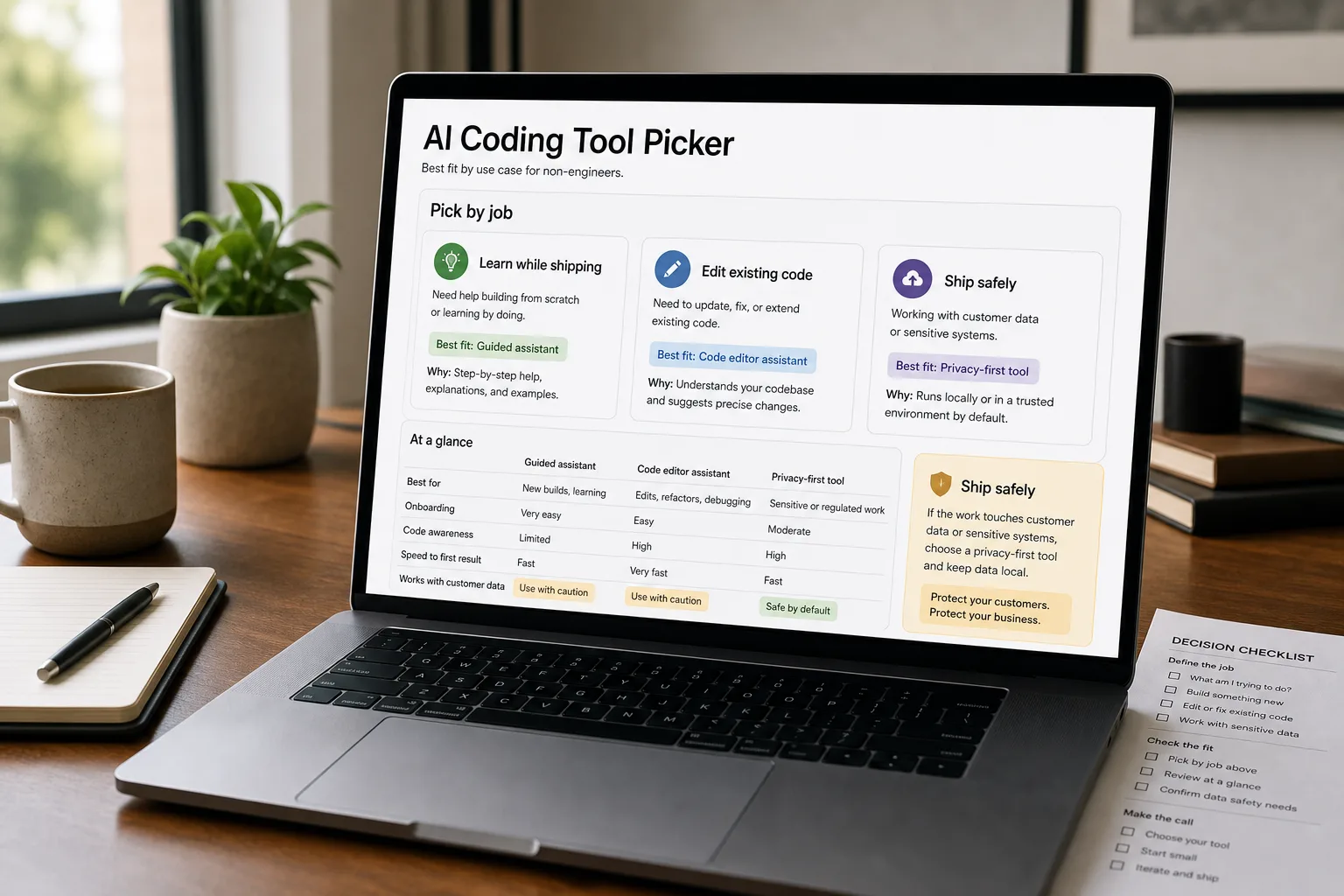
An ops lead writes a Slack message to ChatGPT: “I need to scrape these 200 supplier pages and put the prices in a spreadsheet.” Twenty minutes later, a Python script runs on her laptop and the spreadsheet is full. She didn’t take a coding class — the AI wrote the script. This cohort (founders, ops leads, marketers, analysts shipping code with AI help) grew faster than any other professional category in 2024–2025.
The tools that enable this — ChatGPT, Claude, Cursor, Replit Agent, Bolt, Lovable, GitHub Copilot — all produce code that runs. They vary on whether the code is safe to deploy, easy to maintain, or likely to surprise you in three months. The wrong tool choice produces code you can’t update when something breaks, can’t debug, or shouldn’t have shipped in the first place.
What follows: a side-by-side of what each tool fits, where the safety considerations sit, and the patterns that distinguish “AI helped me build this thoughtfully” from “AI built something that will haunt me.”
The comparison matrix
| ChatGPT (with Code Interpreter) | Claude (with Artifacts) | Cursor | Replit Agent | Bolt / Lovable | GitHub Copilot Chat | |
|---|---|---|---|---|---|---|
| Strongest for | One-off analyses, scripts, data work | Long-form code generation, structured output, coding tasks | Engineer-style iterative coding; less friendly to true beginners | Cloud IDE with agent-style code editing | Full web-app prototypes from chat | Coding in an existing editor with AI assist |
| Conversational coding | Strong — natural-language to code in chat | Strong — natural-language to code in chat or Artifact | Strong but editor-centric | Strong; agent runs in the IDE | Strong — chat-driven app changes | Strong in chat panel |
| Execution environment | Code Interpreter runs Python in sandbox | Artifacts run JavaScript / HTML in sandbox | Your local machine | Replit's cloud environment | Bolt: in-browser; Lovable: cloud preview | Your local editor |
| Best for non-engineer first projects | Yes — data analysis, csv work, charts | Yes — same plus HTML / JS prototypes | Less — assumes some coding context | Yes — managed environment, learn-as-you-go | Yes — most "no-code" friendly | Less — assumes existing project structure |
| Production-deployable output | One-off scripts; not for ongoing apps | Same; some Artifacts are deployable | Yes with engineering review | Yes for internal tools / MVPs | MVP-quality; production needs review | Yes — designed for production code |
| Help with debugging when something breaks | Strong in conversation | Strong in conversation | Strong — context-aware | Strong — agent can debug inline | Strong — conversational debugging | Strong |
| Cost | $20/month ChatGPT Plus | $20/month Claude Pro | $20/month Pro | $20/month Core | Free / $20/month Pro | $10–$20/month |
| Risk of producing dangerous code | Low — sandbox limits damage | Low — sandbox limits damage | Moderate — runs on your machine | Moderate — Replit can run real services | Moderate — apps can be deployed | Engineer-mediated by design |
What to actually use
For analyses, data work, one-off scripts — ChatGPT with Code Interpreter or Claude with Artifacts. Both run code in a sandbox; you can ask “load this CSV, show me the trends” and get answers. Right for ops, marketing, RevOps, finance work where you’re producing analyses rather than ongoing applications.
For learning to code while shipping things — Replit Agent. Managed environment, can run real services, conversational agent helps you debug. Right for non-engineers who want to develop genuine coding skills over time while shipping useful things.
For prototyping full web apps without engineering background — Bolt or Lovable. See No-code AI app builders compared for the comparison. Right for founders validating MVPs.
For editing code in an existing codebase — Cursor. Powerful, but assumes you have a project to work with and understand. Right when you’ve moved past pure-prompt-to-code into actual project work.
For writing code with AI assist in a traditional editor — GitHub Copilot Chat. Best for engineering-aware users; less friendly to true beginners but the production output is the strongest.
Honest warning — Some workflows shouldn’t be self-built even with AI. Anything that handles real customer data, processes payments, manages security, integrates with regulated systems — these benefit from engineering review or partnership, regardless of how good the AI is. The cost of getting these wrong is much higher than the cost of getting help.
What you'll actually pay
The per-tool cost is small. The strategic value is the time-to-result, especially for projects that would otherwise need engineering capacity you don’t have.
Volatility notes
- Capability improvements rapid. Each tool improves substantially every few months.
- New entrants frequent. The category is one of the most active in software.
- Production-readiness rising. The gap between “prototype” and “production” is narrowing across all tools.
Re-verify every 6 months.
Related work
For the deeper engineer-focused tool comparison, see Cursor vs Copilot vs Claude Code for coding assistance. For the broader no-code-builder comparison, see No-code AI app builders compared. For the framework on what AI is safe to deploy vs. needs engineering review, see When AI is the wrong tool. For the underlying security and risk considerations, see AI security risks for businesses.
FAQ
What's the difference between using these for analyses vs building apps?
Analyses are one-off — you run code, get an answer, move on. Apps are continuous — they run for months, handle real users, need maintenance. Code Interpreter and Artifacts handle analyses well; building apps requires more structure (Replit, Bolt, Lovable). The decision-making question is "does this need to run repeatedly without me babysitting it?" If yes, you're building an app and the bar is higher.
How do I know if my generated code is safe to ship?
Two questions. (1) What's the worst case if this breaks or behaves unexpectedly? Personal-use scripts: low cost. Customer-facing: high cost. (2) Can I understand what the code does line-by-line? If not, you're shipping code you can't maintain — risky even if it works today. When the worst case is high and you don't fully understand the code, get an engineer to review.
Can I learn to code through these tools?
Yes, with discipline. The tools generate code that's accessible to read alongside the prompt. Treating each generation as a learning artifact (read the code, understand what it does, ask follow-up questions) develops real skill over months. Treating it as a black box that produces output produces dependence. Pick your engagement mode.
What about security — am I exposing keys or data accidentally?
Real risk. Common patterns: API keys exposed in client-side code that goes to a deployed app, sensitive data uploaded into prompts that the model provider may train on (use Team / Enterprise tiers to prevent), or code that bypasses authentication. Always assume the generated code may have security flaws; get a check from someone with security background before deploying anything customer-facing.