
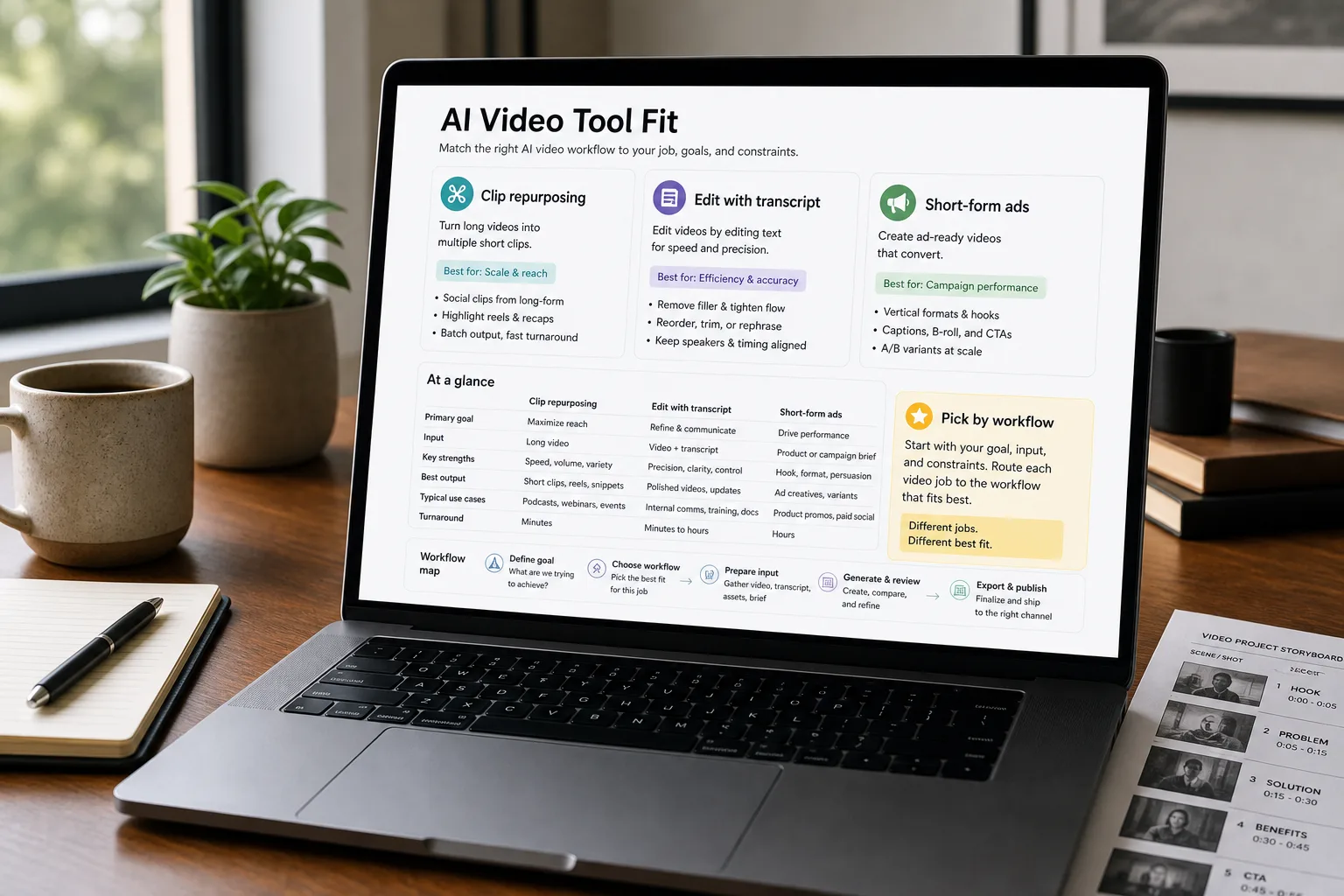
A founder records a 60-minute podcast on Tuesday. By Thursday she wants ten 30-second clips for LinkedIn and TikTok, the full episode on YouTube with cleaned-up audio, and a transcript with the filler words removed. Without AI, this is two days of an editor’s time. With the right AI video tool, the same workflow can ship by Wednesday afternoon.
Four major tools each solve a different slice. Descript replaces the timeline with text — edit the transcript, the video edits. Captions specialises in vertical-format social content with AI captions and b-roll baked in. Opus Clip turns a long-form video into a stream of short clips ranked by predicted virality. Adobe Premiere Pro has caught up with strong AI features in the traditional editing workflow. The wrong tool produces an editing process the team fights against; the right tool unlocks a content cadence that wasn’t sustainable before.
What follows is the side-by-side: workflow fit, AI feature depth, pricing math, and the decision rules per content type.
The comparison matrix
| Descript | Captions | Opus Clip | Adobe Premiere Pro (AI) | |
|---|---|---|---|---|
| Core workflow | Text-based editing — edit the transcript, the video edits | Vertical-format social video with AI captions and b-roll | Long-form to short-form clip extraction | Traditional timeline editing with AI augmentation |
| Best for | Podcasts, talking-head video, course content | TikTok / Reels / Shorts vertical content | Webinars / podcasts / interviews → social clips | Traditional video production with AI assist |
| Transcription accuracy | Strong; integrated and editable | Strong; auto-generated captions | Strong; used to identify highlight moments | Strong; Adobe's Speech to Text |
| AI features (highlights) | Overdub voice cloning, Eye Contact (gaze correction), Studio Sound (audio cleanup), filler-word removal, AI editing actions | AI captions, AI b-roll, AI eye contact, AI avatars, vertical-format AI editing | AI highlight detection, auto-captioning, virality scoring, multi-platform export | Generative extend (video continuation), generative b-roll, AI audio category tagging, AI editing assist |
| Output formats | Any aspect ratio; multiple resolutions | Vertical-first (9:16), some horizontal | Multiple vertical and square formats; native to social specs | Any aspect ratio; full export flexibility |
| Learning curve | Low for content creators familiar with docs/podcasting | Low; designed for non-editors | Very low; mostly automated | High; full NLE complexity |
| Voice cloning / AI voiceover | Yes — Overdub for narration corrections | Yes — AI voices and avatars | Limited | Integration with Adobe Podcast |
| Collaboration features | Strong; designed for team workflows | Limited team features | Limited collaboration | Strong via Creative Cloud and Premiere Productions |
| Pricing — entry | $15/month (Creator); $30/month (Pro) | $10/month (Pro); $20/month (Scale) | $15/month (Starter); $29/month (Pro) | $22.99/month (single app) or part of Creative Cloud All Apps |
| Pricing — team | Custom pricing; per-seat | Custom pricing | Custom pricing | Creative Cloud for Teams from ~$33.99/seat/month |
| Export quality / format flexibility | Strong for talking-head and edit-driven content | Optimised for social platforms; less flexibility for traditional uses | Optimised for clip-export; less for finished long-form | Strong; the professional standard |
What to actually use
For podcast video, talking-head content, course / training video — Descript. Text-based editing is dramatically faster than traditional timeline editing for these formats; remove filler words, restructure paragraphs, correct misspoken phrases via Overdub. The single best workflow if your content is primarily one or two people talking to camera.
For high-volume vertical-format social video — Captions. Purpose-built for TikTok / Reels / Shorts; AI captions, b-roll, and editing tuned for the format. Right for marketing teams running active social-video programs without dedicated editors.
For repurposing long-form into short clips — Opus Clip. Takes a 60-minute podcast or webinar and produces 10–20 short clips with captions, ranked by predicted virality. The “I just released an hour-long video, now what” workflow. Pairs well with Descript or Premiere for the long-form production.
For traditional video teams that want AI features inside their existing workflow — Adobe Premiere Pro. The 2024–2025 AI feature additions (Generative Extend, AI audio tagging, AI editing assist) bring meaningful productivity to teams that already work in Premiere. Right for established video teams; overkill for non-editors.
For mixed workflows (most growing companies) — Hybrid. Many teams use Descript for podcast / talking-head, Opus Clip for repurposing, and Captions or a more advanced tool for the social-final. The $50–80/month combined cost is meaningful but tractable for an active content operation.
What you'll actually pay
The per-tool cost is small relative to a video team’s time. Pick on workflow fit, not on a few dollars per month.
Volatility notes
- AI video generation extending into editing. Sora, Runway, and similar are blurring the line between editing and generation; expect the boundaries between categories to shift.
- Adobe’s AI investment. Adobe is shipping AI features fast across Premiere; expect the gap with specialised tools to narrow.
- Vertical-specialised entrants. Tools for specific verticals (real estate, education, corporate training) emerging.
Re-verify every 6 months; this category is moving fast.
Related work
For the hook-generation workflow that feeds short-form video output, see Hook generation for short-form video. For the long-form-to-short pattern, see Repurpose a podcast episode into pieces. For the broader content-team prompt patterns, see Prompt engineering patterns for content teams. For the voice-generation comparison that pairs with video AI, see ElevenLabs vs Murf vs Play.ht for voice generation.
FAQ
Can these tools produce broadcast-quality video?
Descript and Premiere can; Captions and Opus Clip are optimised for social-quality not broadcast. For high-end production (TV ads, premium content), traditional pro tools (Premiere, DaVinci Resolve, Final Cut) with AI assistance are still the standard.
What about AI video generation (Sora, Runway) — when do those fit?
Different category — those generate video from text rather than editing existing video. They're rapidly improving but still limited for production use. The current sweet spot is AI editing of human-shot footage (the tools above); AI-generated video is occasional B-roll or experimental.
How do these compare to the AI features in CapCut?
CapCut has strong free AI editing features and dominates on TikTok-style mobile editing. It overlaps significantly with Captions; the choice often comes down to existing platform preference (CapCut is ByteDance's; Captions is a separate vendor). Both work for similar use cases.
Should we use one tool or several?
Several is common at active video operations. Each tool excels at part of the pipeline; the combined cost is typically $50–100/month and the workflow win is substantial. Trying to force one tool to do everything produces lower quality at the edges.