
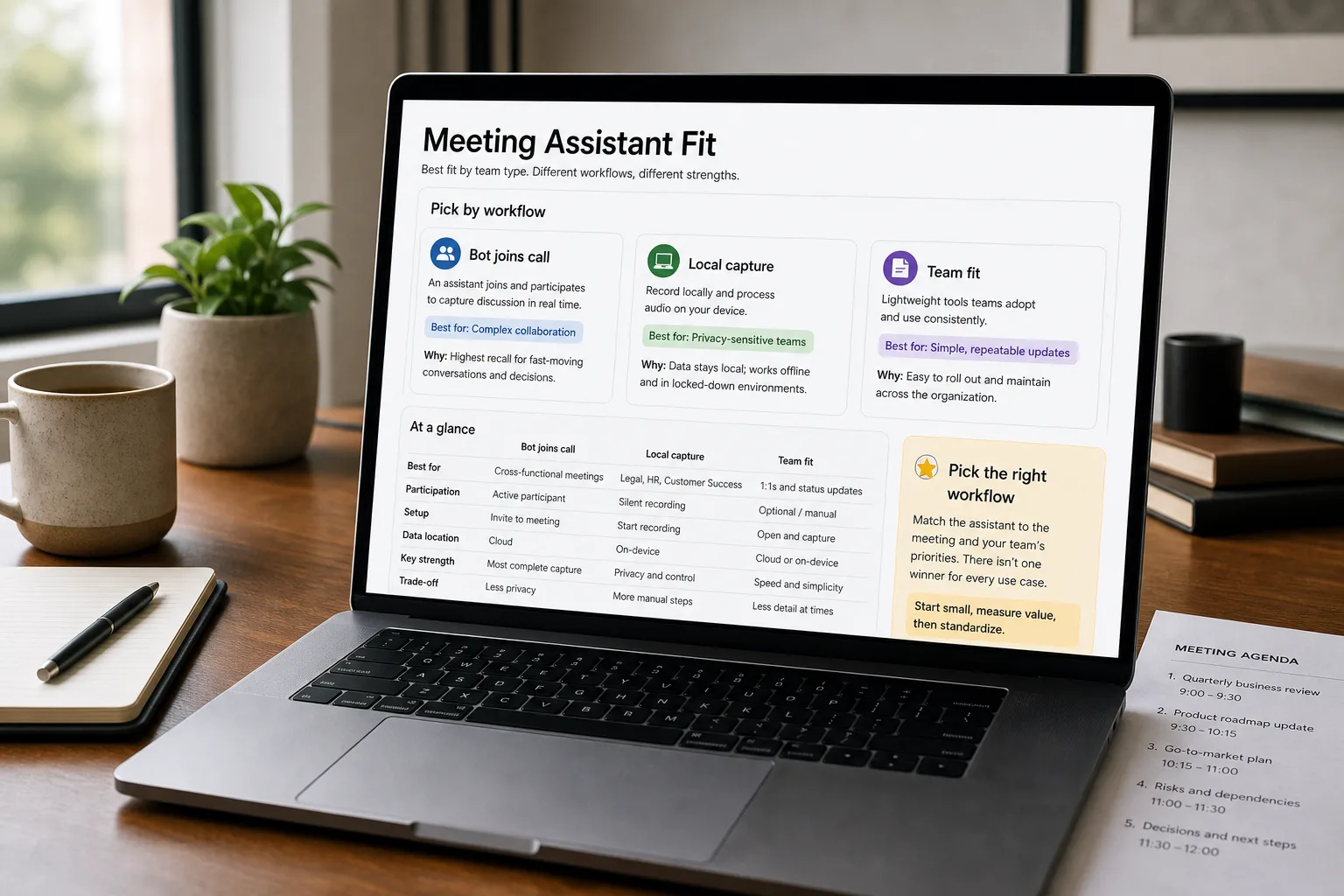
A founder takes six Zoom calls in a day. Three are sales conversations she’ll need to follow up on; two are recruiting calls she wants to remember; one is a board update with action items. By 6pm she can’t quite recall who said what. An AI meeting assistant joins the calls, transcribes them, and produces a structured summary for each — but the five major tools optimise for very different workflows.
Otter is the ecosystem leader with the broadest integrations. Fireflies dominates on team-workflow features. Granola has the cleanest founder and PM experience. Read AI invests heavily in cross-tool analytics. Fathom is the no-bot-required favourite for many sales teams. Picking the tool on “which one transcribes best” misses what actually differentiates them in real use.
The comparison, beyond transcription accuracy: workflow fit, team features, privacy posture, integration depth, and the decision rules per team type.
The comparison matrix
| Otter.ai | Fireflies.ai | Granola | Read AI | Fathom | |
|---|---|---|---|---|---|
| Joining mechanism | Bot joins the call | Bot joins the call | No bot — records audio locally during call | Bot joins the call | No bot — desktop app captures audio |
| Transcription quality | Strong — long-time leader | Strong | Strong | Strong | Strong |
| Summary quality | Good; key points and action items | Strong; topic-segmented summaries | Strongest for note-taking flow; markdown-native | Strong; cross-meeting analytics | Strong; structured for sales use |
| Speaker identification | Yes (after voice-train) | Yes | Yes | Yes | Yes |
| Search across past meetings | Strong | Strong | Yes | Strongest — semantic search across meetings + email | Yes |
| Integrations | Broadest — Zoom, Teams, Slack, Salesforce, Notion, more | Broad; strong CRM integration | Notion, Linear, others; growing | Email + meeting integrations; broad | Strong CRM integrations for sales |
| Best for | General meeting capture, broad integration | Team / CRM workflows | Founder, PM, EA workflows | Cross-channel analytics; multi-tool teams | Sales-call capture without bot friction |
| Pricing — Free tier | Yes — 300 min/month | Yes — limited minutes | Yes — limited meeting history | Yes — limited | Yes — broad free tier |
| Pricing — Pro / paid entry | $16.99/seat/month | $10/seat annual or $18 monthly | $14/user/month (Business) | $15/seat annual or $19.75 monthly | $15/user annual or $19 monthly (Team) |
| Pricing — Business / higher tier | $30/seat/month | $19/seat annual or $29 monthly | $35/user/month (Enterprise) | Custom (Enterprise) | $25/user annual or $34 monthly (Business) |
| Privacy posture (consent for bots, data handling) | Bot-based; visible to attendees | Bot-based; visible | No bot; recording is local — different consent dynamic | Bot-based; visible | No bot; desktop capture |
What to actually use
For broad team meeting capture with deep integration — Fireflies or Otter. Both are mature; Fireflies has stronger CRM integration, Otter has broader integration breadth. Pick based on which other tools you’re using.
For founder / PM / EA workflows where note-taking is the value — Granola. The note-taking flow is the cleanest in the category; markdown-native, integrates with Notion / Linear naturally, no bot in the call. Right for individual operators who want notes that flow into their existing systems.
For sales-team call capture where bot friction is a problem — Fathom or Granola. Customers and prospects increasingly notice meeting bots and react negatively in some segments. Fathom and Granola both avoid the bot path. Fathom is sales-CRM optimised; Granola is more general-purpose.
For teams wanting cross-meeting and cross-tool analytics — Read AI. The strongest at “what’s happening across all my meetings and emails over time” — different shape from the others, more like an analytics layer than a transcription tool. Right for executives and teams that benefit from rolled-up insights.
For high-volume privacy-sensitive teams — Granola or Fathom. The no-bot approach means recordings live locally rather than being sent to a third-party bot’s infrastructure during the call. The privacy and consent dynamics are different; some teams find this important.
What you'll actually pay
The per-tool costs are small; the time saved per meeting is the value. For meeting-heavy roles, the math favours adopting one of these tools regardless of which.
Volatility notes
- Bot-vs-no-bot dynamics shifting. Customer and prospect sensitivity to meeting bots is rising; expect more “no bot” options.
- Cross-tool intelligence growing. Read AI’s analytics direction is being followed by others.
- Native platform features. Zoom, Microsoft Teams, Google Meet all ship built-in summarisation; some of the dedicated-tool value is being absorbed.
Re-verify every 6 months.
Related work
For the broader meeting-summary workflow these tools feed, see Meeting summaries people actually read. For the sales-call coaching pattern that uses recordings, see Sales-call coaching at scale. For the voice-transcription comparison at API level, see Whisper API vs Deepgram vs AssemblyAI. For the privacy framework, see AI privacy — what to watch for.
FAQ
Should we disclose AI meeting capture to participants?
In most jurisdictions, yes — meeting recording requires consent (two-party-consent states require all parties to consent). Even where not legally required, professional courtesy and trust make disclosure the right default. The dedicated tools handle this disclosure differently: bot-based tools are visible to attendees; no-bot tools require explicit verbal or written disclosure. Configure consent flows per your jurisdiction.
What about confidential meetings — board, HR, legal?
Don't auto-capture these. Most tools have per-meeting opt-out; configure them for sensitive contexts. The risk of recordings being discoverable in legal contexts, accessed by unauthorised parties, or improperly retained outweighs the convenience of auto-capture. Senior leadership and HR should have explicit policies about which meetings get recorded.
How does this compare to Zoom's built-in summary?
Native platform summaries are improving rapidly; for casual meetings they're often sufficient. The dedicated tools still win on search-across-meetings, structured action-item extraction, CRM integration, and (in some cases) the no-bot approach. For organisations heavily on one meeting platform, the bundled features may be the right answer; for cross-platform teams, the dedicated tools maintain advantages.
Are these tools secure enough for enterprise use?
The major tools all offer SOC 2 and increasingly other compliance certifications. The differentiator is data handling — what happens to the recordings, how long they're retained, who can access them. For regulated industries, verify the specific tool's compliance posture against your requirements before adoption.