
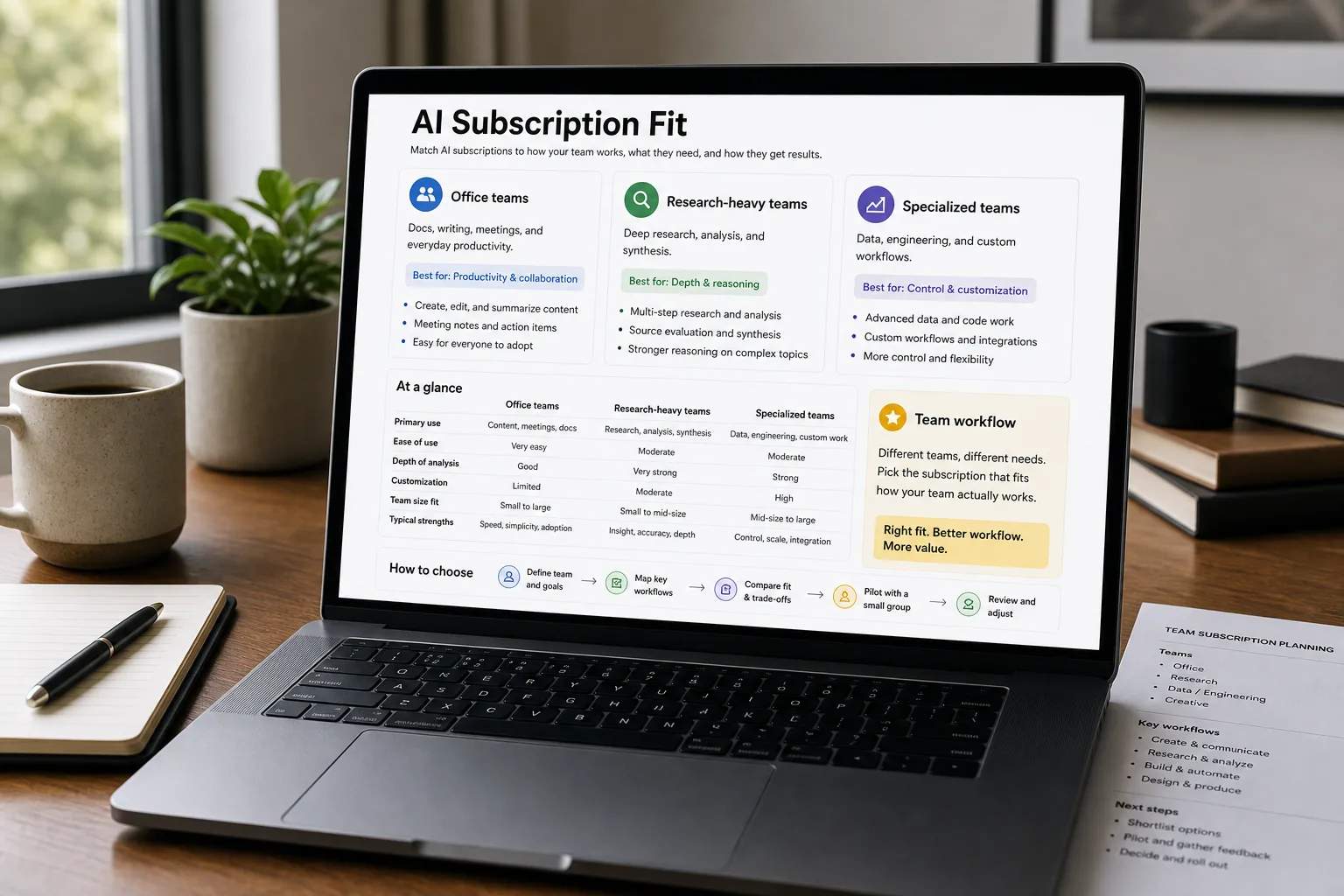
An ops lead at an 80-person company is asked on a Tuesday: “What AI subscription should we standardise on for the whole team?” Three plausible answers sit on the table and none is obviously right. ChatGPT Team has the broadest ecosystem and the largest marketplace of custom assistants. Claude Pro and Team is strongest at long-document analysis and coding tasks. Microsoft 365 Copilot is the deepest integration if your team already lives in Word, Excel, PowerPoint, and Outlook.
Each is a real answer for a different team type. The wrong choice produces a recurring seat-cost line with mediocre adoption — the subscription sits there, half the team forgets it exists, and the productivity claim never materialises. This piece is the side-by-side on capabilities, integration depth, ecosystem trade-offs, and the decision rules that map team shape to subscription choice.
The comparison matrix
| ChatGPT Team | Claude Pro / Team | Microsoft 365 Copilot | |
|---|---|---|---|
| Flagship model | GPT-5 and GPT-6 families | Claude Opus 5 / Sonnet 5 — Opus is the paid gate; the free tier gets Sonnet and Haiku only | Not named. An automatic router picks a model per prompt, and you choose only Auto / Quick response / Think deeper. Anthropic Claude is now a named subprocessor, on by default outside the EU, EFTA and UK |
| Strongest on (general reasoning / multimodal) | Generalist; strong multimodal; excellent ecosystem | Long-context, coding, structured-output reasoning | Office-suite integration; document drafting in context |
| Context window (typical interactive) | Up to ~1.05M on the GPT-5.6 and GPT-6 API models; per-tier limits inside ChatGPT are not published | Set by the model, not the plan. On any paid plan, chatting with Opus 5, Sonnet 5 or Fable 5.1 gives 1M; the 4.x models give 500K; older ones 200K. Claude Code gives 1M too, though Pro needs usage credits for Opus. Anthropic's own pricing grid still shows a flat 200k and is out of date | Bounded by underlying model, typically ~128k tokens |
| Custom assistants / GPTs | Large ecosystem — GPT Store, custom GPTs, Code Interpreter | Claude Projects with file uploads and custom instructions | Microsoft Copilot Studio for custom agents on top of M365 |
| Integration with productivity suite | ChatGPT can connect via plugins / actions; not natively in Word / Excel | Claude apps for Mac / Windows; integrations via API | Native integration in Word, Excel, PowerPoint, Outlook, Teams |
| Coding assistance (in-chat) | Strong — Code Interpreter, ChatGPT canvas, real-time code execution | Strongest — coding benchmarks consistently favor Claude; Artifacts for runnable code | Adequate; less than dedicated tools (GitHub Copilot is separate) |
| Image generation | DALL·E built-in | No native image generation (uses external) | DALL·E via Designer; Image generation in Word and PowerPoint |
| File uploads / analysis | Strong — PDFs, spreadsheets, images, code | Strong — same range; particularly good at long PDFs | Strong within Office files; weaker for arbitrary uploads |
| Team / admin features | Team plan: shared workspaces, admin controls, SAML SSO on Enterprise | Team plan: shared projects, admin controls, SSO on higher tier | Native to M365 admin; integrated permissions, audit, compliance |
| Data privacy posture (default) | Team / Enterprise: data excluded from training by default | Team: data excluded from training by default | Excluded from training; honors M365 tenant boundaries |
| Pricing — entry team tier | $25/seat/month (annual) or $30/seat/month (monthly) | $20/seat/month (annual) or $25/seat/month (monthly) at Team tier | $18/user/month (annual; existing M365 customers) or up to ~$25/user/month monthly — added to existing M365 subscription |
| Hidden cost | Plugin / connector ecosystem can require API costs | Compute-heavy users may hit usage tier limits | Requires M365 E3/E5 — substantial baseline cost |
| Best for users who live in | Browser-first workflows, varied tools, custom GPTs | Long documents, code work, structured thinking | Office, Outlook, Teams ecosystem |
What to actually use
For teams that live in Office / Microsoft 365 — Microsoft 365 Copilot. The integration into Word (drafting), Excel (analysis), PowerPoint (deck creation), Outlook (email drafting), and Teams (meeting summarisation) is the deepest of the three for users in that ecosystem. Trade-off: it requires the M365 E3 or E5 subscription as a foundation, so the true cost is $30/seat/month plus the underlying M365 license. For Office-centric teams, the productivity uplift typically justifies it.
For teams doing meaningful coding, long-document analysis, or structured reasoning — Claude Pro / Team, running Opus 5, Sonnet 5 or Fable 5.1. Those models give a 1M-token window on any paid plan (older Claude models drop to 500K or 200K), which handles book-length analysis, contract review and codebase queries. Claude consistently leads coding benchmarks and produces structured outputs (JSON, tables, code) that tools depend on. Trade-off: weaker ecosystem (no GPT-Store equivalent breadth, no native image generation).
For broad team usage with varied workflows, custom GPTs, or multimodal needs — ChatGPT Team. The ecosystem of custom GPTs, the integrated Code Interpreter, the broadest plugin coverage. Strong default for teams that want one subscription covering most use cases. Trade-off: less depth than Claude on long-context or coding; less native integration than Copilot on Office work.
For teams running everything through one preferred vendor — Pick the one whose existing ecosystem already aligns. If you’re heavily on Microsoft Azure for cloud and M365 for productivity, Copilot is the operational fit. If you’re a Google Workspace team, neither Microsoft Copilot nor the others integrates as deeply (consider Gemini for Workspace if Google integration matters; that’s a different comparison).
For most growing companies — A hybrid is realistic. Many SMBs end up with two subscriptions: one for the team’s daily work (often Copilot or ChatGPT Team) and one for deep / specialist work (often Claude for engineering or analysis). The $50-60/seat combined cost is meaningful but tractable.
What you'll actually pay
The seat math is straightforward; the productivity math is bounded by adoption. A subscription that 30% of users actively engage with produces 30% of the headline value; investment in adoption typically returns more than investment in choosing the “best” tool.
Volatility notes
This category moves quickly. Concrete watch-list:
- Pricing pressure. All three are likely to adjust pricing as competition intensifies. Expect bundled-feature additions before direct cost cuts.
- Model upgrades. Each subscription’s underlying model upgrades on the vendor’s cadence; capability gaps shift quickly.
- Enterprise feature parity. Compliance, SSO, audit, data residency — the gap between consumer and enterprise tiers narrows over time.
- Vertical AI offerings. Industry-specific AI subscriptions (legal, medical, financial) are emerging and may rebalance the build-vs-buy decision for specialised teams.
Re-verify every 3–6 months; this is one of the faster-moving categories in business AI.
Related work
For the broader question of how AI fits into business workflows, see What an LLM actually does for a business. For the deeper open-source-vs-proprietary debate that influences subscription choice, see Open-source vs proprietary AI — practical tradeoffs. For the broader privacy-and-vendor-evaluation framework, see AI privacy — what to watch for. For coding-specific tool decisions, see Cursor vs Copilot vs Claude Code for coding assistance.
FAQ
Can we use multiple subscriptions at once?
Yes, and many teams do. The marginal cost is per-seat, so $50–60/seat for two complementary subscriptions is common at growing companies. The downside is fragmented workflows and team confusion about "which tool for which task." If you go hybrid, document the use-case mapping clearly — "Claude for engineering and long-doc work; Copilot for Office content; ChatGPT for everything else."
What about Google Workspace teams — Gemini Workspace?
Different comparison. If your productivity suite is Google Workspace, Gemini for Workspace is the analogous integrated option. The decision shifts to whether Gemini's Workspace-side integration vs Claude / ChatGPT's general capability is the better fit for your team's workflow. Most Google Workspace teams use a hybrid: Gemini Workspace for the integrated work, plus one of the others for specialised tasks.
Should small teams skip enterprise tiers entirely?
For teams under 20–30 seats with no specific compliance requirements, the Team tier of any of these is sufficient. Enterprise tier matters when you need SSO with your identity provider, formal compliance certifications (SOC 2, HIPAA), dedicated capacity guarantees, or BAA agreements. Don't pay for enterprise until you need it.
How is this different from individual subscriptions per employee?
Team tiers ship with shared workspaces, admin controls, and data-isolation guarantees that individual tiers don't. The cost per seat is similar to individual ($20–30), but the operational layer matters once you have more than a few users. Individual subscriptions work for very small teams; the moment you have content to share or compliance to manage, Team tier earns the marginal seat-management overhead.