
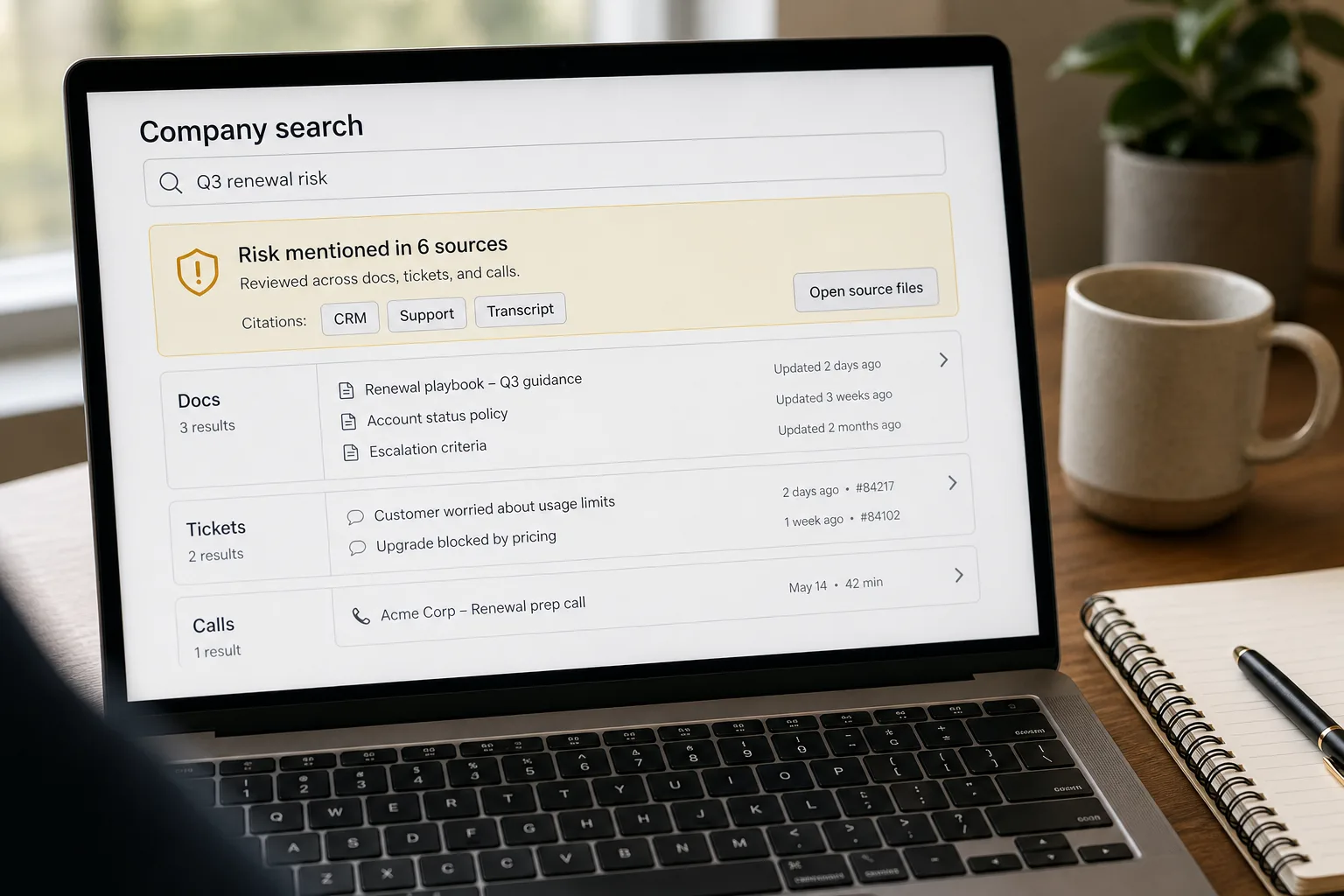
Federated search is one search box that queries every tool in your workplace at once — Slack, Drive, Notion, Linear, Confluence, Gmail — and returns a single ranked list of results, each labelled with where it came from. You search once; the system fans out across every connected tool and merges the answers.
The average knowledge worker switches between 9–13 tools in a working day. Roughly a third of that time is spent looking for things — the doc that was shared in Slack three weeks ago, the Notion page someone wrote about an API decision, the Linear ticket that referenced the design-system change, the email thread with the vendor reply. Each tool has its own search. Each tool’s search is mediocre. And the union — “search all my tools” — doesn’t exist by default.
The fix isn’t to make individual searches better. It’s to build a federated layer that queries across all of them, respects each tool’s permissions, and ranks results by relevance rather than by which tool was queried last. What follows is that layer end-to-end: the connector pattern per major tool, the access-control architecture (the most common security failure in workplace search), unified ranking via a rerank step, and the freshness signals that keep stale results from drowning the recent ones.
Where this fits — and where it doesn't
Use this if you have 100+ employees, work is genuinely spread across 5+ tools, and information-finding is a measurable productivity drag. Common fits: platform engineering teams, IT departments at growing companies, internal-tools owners, ops teams supporting cross-functional collaboration. The leverage is real — federated search saves 1–3 hours per knowledge worker per week at typical tool spread, and the indirect win is faster onboarding for new hires who don’t know where things live yet.
Don’t use this if your team is small enough that everyone knows where everything lives (under ~30 employees typically), your work fits in 1–2 primary tools (Notion-only shops, Microsoft 365-only orgs), or you can’t enforce access controls per source — the security risk of a federated layer that leaks across permission boundaries is high. If you can’t authoritatively answer “who can see what across all these tools,” fix that first before building federated search.
What you'll need before starting
- API access tokens for each tool you plan to federate — Slack, Google Drive, Notion, Linear, Confluence, Gmail. Each has its own rate limits, pagination patterns, and auth quirks.
- A central index or vector store — Elasticsearch, OpenSearch, pgvector, Qdrant, or a managed equivalent. The federated layer queries each source and stores results centrally for ranking.
- A clear identity model — how does your central system know “this employee can see these Slack channels, these Drive files, these Notion pages”? Usually this maps from your SSO provider (Okta, Azure AD, Google Workspace identity).
- A rerank model — Cohere Rerank, a custom-trained cross-encoder, or a flagship LLM for the rerank step. Without rerank, federated results from different sources don’t combine into a coherent ranking.
- An honest assessment of the maintenance commitment. Federated search is one of the higher-maintenance internal tools — connectors break when vendors change APIs, access-control bugs are high-stakes, and the relevance tuning is ongoing. Plan for a part-time owner, not a one-time build.
Six steps to a search that finds what people meant
- Build per-tool connectors — each tool has its own quirks
For each integrated tool, build a connector that handles three things: (a) pulling new and updated content on a schedule (Slack messages, Drive files, Notion pages); (b) respecting the user’s per-tool permissions (the same query from two users should return different results based on their access); (c) extracting searchable content and metadata (title, snippet, last-modified, author, link back to source). Slack’s search API is shallow; Notion’s pagination is fiddly; Drive’s file-content extraction needs MIME-type handling. Budget 1–2 weeks per major connector for production-quality integration.
- Index content with both keyword and embedding indexes
For each piece of content (a Slack message, a Drive file’s extracted text, a Notion page), build two index entries: a keyword index entry (BM25 in Elasticsearch or similar) and an embedding entry (vector store). Hybrid search consistently outperforms either index alone — keyword catches exact-jargon hits (acronyms, project codenames, error codes) and embedding catches semantic restatement. Store metadata alongside both: source tool, source URL, last-modified date, author, access-control labels.
- Query both indexes per request, then rerank with a unified model
When a user submits a query, run it against the keyword index and the embedding index in parallel, retrieve 20–30 candidates from each, deduplicate, then rerank the union with a dedicated rerank model. Rerank is the step that produces a coherent ranking across heterogeneous sources — Slack messages and Drive files and Notion pages can be relevance-ranked by the same model even though their content shapes are very different. Cohere Rerank or a cross-encoder works well here; using a flagship LLM for rerank is expensive but improves quality on hard queries.
- Enforce access controls at retrieval time, not display time
Before any result is reranked or shown, filter by the user’s access permissions per source. This is non-trivial because each tool has its own permission model — Slack channels (public, private, DMs), Drive (per-file and per-folder), Notion (per-workspace and per-page), Linear (per-team and per-project). Maintain a per-user access map that’s refreshed regularly (every few hours, ideally on permission-change events); use it to filter before any result reaches the user. Filtering at display time leaks information through hint patterns — “this returned 47 results but you can see 12” tells the user 35 results exist that they shouldn’t know about.
- Surface source context — tool icon, freshness, snippet, link
Every result should display: the source tool (Slack / Drive / Notion / etc. with a clear icon), a 1–2 sentence relevant snippet (not just the title), the last-modified date, and a deep link to the source. Source visibility matters for trust — users navigate to the right tool to verify and act on the result, and they form mental models faster when they can see “this is from Slack, three weeks ago, in #engineering.” The snippet quality is what makes the result actionable; titles alone don’t tell you whether to click.
- Tune ranking with click data — not just engineering judgement
Log which results users click for each query, and use the data to tune rerank features. If “vacation policy” queries consistently click the people-ops Notion page rather than the Slack thread that returned higher in the embedding score, that’s signal to upweight Notion-tagged official-docs for policy queries. The relevance tuning is ongoing — every month, audit the top 20 queries and the click distributions; adjust rerank features accordingly. Without this loop, the search ranks by initial heuristics that fit the demo, not by what users actually want.
What it costs and what to expect
The productivity-recovery number is the operational ROI; the adoption-ceiling pair tells you why rerank and source visibility aren’t optional features.
Other ways to solve this
Managed workplace AI / search platforms (Glean, Microsoft Search, Atlassian Rovo, Coveo). Turnkey federated search with pre-built connectors, access-control mapping, and tuned rerank. Right answer for teams that want a working solution without building. Trade-offs: per-seat cost that adds up at scale, less control over relevance behaviour, and dependency on the vendor’s connector roadmap (if they don’t support your obscure tool, you’re stuck). Strong fit for larger orgs.
Tool-native cross-search (Notion Search, Slack Search, Microsoft 365 Search). Some platforms have grown their search to cover multiple of their products. Microsoft 365 Search covers Outlook + Teams + SharePoint + OneDrive reasonably well; Notion’s search covers Notion + integrations. Right if your work fits inside one platform’s ecosystem; weaker as a true cross-tool federation.
Per-tool search, manual workflow. The current default at many companies — users learn which tool to search for which kind of question. Works for small teams; breaks down as the tool count grows. Honest answer for companies under 50 employees that haven’t yet felt the multi-tool drag.
Don’t federate — consolidate tools. Sometimes the right answer is fewer tools, not better search. If your team uses Notion + Confluence + a wiki, pick one and migrate. If your team uses Slack and Microsoft Teams for different audiences, consolidate to one. Reducing the tool count from 12 to 6 often produces more productivity recovery than building federated search over the 12.
Related work
For the internal Q&A bot that often sits on top of the same retrieval infrastructure, see Internal Q&A bot over company docs. For the document-classification layer that often pre-filters content per source, see Document classification at scale. For the embeddings mechanics that drive semantic retrieval quality, see Embeddings explained without math. For the vector-database choice that underpins the embedding index, see Vector databases compared.
FAQ
How is this different from just using each tool's built-in search?
Per-tool search is fine for one query at a time; the user has to know which tool to search. Federated search becomes valuable when the user doesn't know — "where was that thing about X discussed" is a question that crosses Slack, email, and docs simultaneously. The leverage of federation is in the queries where the source isn't known in advance; for queries where the source is obvious, per-tool search is usually faster and sufficient.
What about real-time content — Slack messages from 10 minutes ago?
Most federated systems are near-real-time, not real-time. Slack content is typically searchable within 5–15 minutes of posting. For true real-time use cases (active incident response, live conversations), use Slack's native search alongside federated search; don't try to make the federated layer the only path. Hybrid usage — federated for cross-tool history, native for live activity — is the right pattern.
How do we handle access controls when a user's permissions change?
Two patterns. (1) Real-time re-check at query time — slower, but always accurate. (2) Cached per-user access map refreshed on a schedule (every few hours) with webhook updates for known permission-change events. Most teams use the cached approach because the query-time check is too slow. Add webhook handlers for major events (user added to a Slack private channel, user removed from a Drive folder); the cache catches the rest within the refresh interval.
What about content that lives outside the federated set — old email, archived projects, terminated employees' files?
Explicit policy decision. The right answer varies by industry — some teams archive but make searchable (historical reference); some teams archive and remove from search (privacy and legal exposure); some teams keep terminated employees' content searchable to a small group (legal, HR) but not the broader org. The technical layer is straightforward (filter by retention/employment status); the policy layer needs a clear decision and ongoing enforcement.
Can we use this to power an Q&A bot, not just search results?
Yes — the federated retrieval is the foundation; layering a generative answer on top is straightforward. The architecture in internal Q&A bot over company docs describes the generation step. Many teams build both: federated search as the first product (lower complexity, faster ROI), Q&A as a second product (higher complexity, deeper interaction model).
How do we measure ROI?
Three signals. (1) Tool-switching reduction — measure how many tools users open per work session before and after rollout. (2) Time-to-find — instrument the time from query to clicked result; aim for under 30 seconds. (3) Repeat-question deflection — track whether questions that previously hit human channels ("where's the X doc?" in Slack) decline post-launch. The first is the productivity signal; the third is the deflection signal. Together they justify the maintenance investment.