
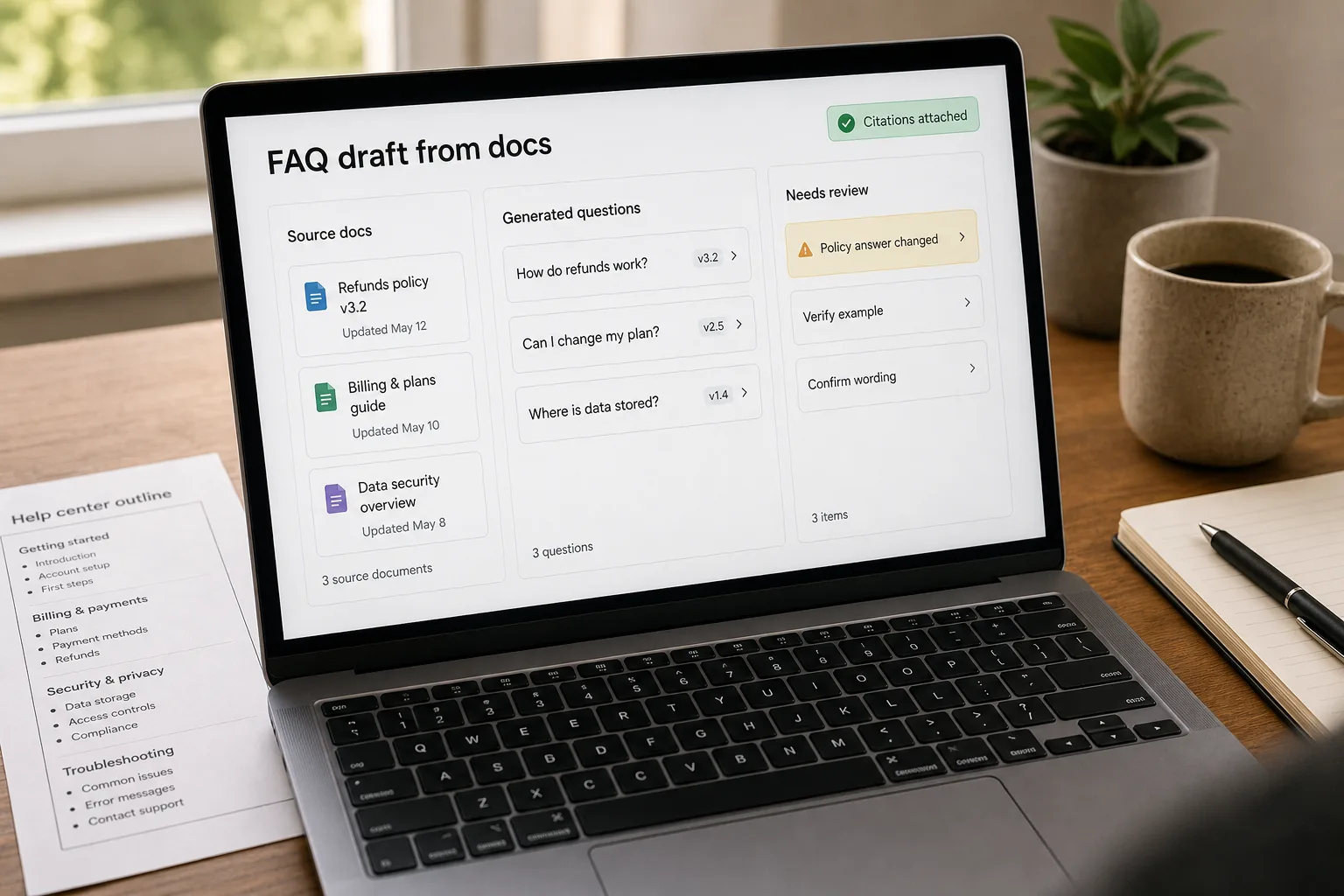
An FAQ — frequently asked questions — is a list of the questions your users actually ask, with the answers your team would actually give. Done well, it deflects support tickets, ranks in search, and shortens the gap between “I have a question” and “I have an answer.”
Most FAQ sections are not done well. They’re written once, in a hurry, by someone who didn’t have the users’ real questions in front of them. The result is the template that’s been on company websites since 2015: “How do I get started? / Is there a free trial? / How do I cancel?” — none of which is the actual question a real user has at the moment they hit the docs page.
The fix is not better marketing intuition. It’s a workflow that clusters real user questions from real sources — support tickets, chat logs, sales-call recordings, search queries — and writes the answers from your existing knowledge base rather than inventing them. This piece is that workflow: the clustering pass, the canonical-question extraction, the grounding rule that keeps answers honest, and the monthly refresh that catches new questions before they ossify.
Where this fits — and where it doesn't
Use this if you have 200+ support tickets or chat conversations to mine, your docs site sees enough traffic that an FAQ matters for SEO and conversion, and your current FAQ is missing, stale, or was written from intuition rather than data. The workflow works because real users ask a stable set of questions that clusters reliably: clustering 500 tickets surfaces 30–60 distinct questions, of which 10–15 account for the majority of traffic.
Don’t use this if your corpus is under 100 tickets (clusters are noisy at low volume — better to hand-pick the top questions and write them yourself), your support tickets are confidential or regulated in ways that don’t allow LLM ingestion without redaction, or your docs are so thin that the grounding step has nothing to ground in. The last case is real: the FAQ workflow exposes documentation gaps, not just question gaps.
What you'll need before starting
- A corpus of real user questions — support tickets (last 6–12 months), chat-widget logs, sales-discovery notes, customer email threads, or search-query logs from your docs site.
- A model API key (Claude, GPT, or Gemini) plus access to an embeddings API for clustering.
- Your existing knowledge base in a form the model can read — docs site, internal wiki, README files, support-article exports.
- A decision about which questions go in the FAQ vs which become full docs pages. The FAQ is for short, common asks; deeper questions belong on their own page.
- A reviewer — usually the support lead or technical-content owner — to sign off on each answer before publication.
Six steps from raw tickets to a working FAQ
- Gather the source corpus — broader is better, but messy is fine
Pull the last 6–12 months of support tickets, chat logs, sales-discovery notes, and customer-email questions. Don’t try to clean the data upfront — clustering handles the noise. Cap the corpus at what your model can process in one batch (a few thousand questions is comfortable; tens of thousands needs batching). Search-query logs from your docs site are gold here — they capture the questions users ask before they reach support, usually the highest-leverage FAQ candidates.
- Cluster on semantic similarity, not keywords
Embed each question with a small-tier embedding model, then cluster with HDBSCAN or k-means. Keyword clustering (“billing”, “account”, “refund”) is the wrong unit — users ask the same question in five different phrasings, and you want them in one cluster. Aim for 30–60 clusters from a 500-ticket corpus; tune the min-cluster-size parameter to land in that range. Singletons (one ticket per cluster) usually aren’t FAQ-worthy unless they’re high-stakes; ignore them at this pass and revisit on the monthly refresh.
- Extract the canonical question per cluster — preserve user voice, not marketing voice
For each cluster, ask the model to extract the canonical question that best represents the group. The instruction matters: “preserve the way users actually phrase this — keep the typos out, keep the directness in” produces noticeably better candidates than “rewrite this professionally.” A user asking “why does the trial end early sometimes” is not the same FAQ candidate as “When does my trial expire?” — the first is a complaint dressed as a question; the second is the polite marketing translation. Keep the user voice. Real questions outperform polished ones on SEO and on user trust.
- Write the answer from your KB — grounded, with citation, never invented
For each canonical question, retrieve the most relevant sections of your existing KB and have the model draft an answer grounded in that content. Require a citation — which doc page or article supports each claim. If retrieval returns nothing relevant, that’s a documentation gap, not an FAQ gap. Mark those questions as “needs docs first” and route them to whoever owns the KB. Skipping this step and letting the model invent answers is how you ship an FAQ full of plausible-sounding facts that aren’t actually true about your product.
- Rank by frequency × decision-stage, then ship the top 10–20
Cluster size tells you frequency; the question text usually reveals decision-stage (pre-purchase vs in-trial vs active customer). The top 10–20 questions weighted by frequency-times-stage ship first; the rest go into a “deeper” pile that becomes the next docs roadmap. Don’t try to ship 60 FAQs in v1 — readers don’t read past 20 in a single block, and the SEO benefit concentrates in the first dozen. Ship lean; iterate monthly.
- Refresh monthly — the corpus moves, so the FAQ must too
Re-run clustering monthly. New product launches surface new questions; deprecated features fall out of volume; phrasing shifts as your customer base evolves. The monthly refresh takes 1–2 hours once the pipeline is in place. Skipping it for a quarter produces a noticeably stale FAQ within six months — the same drift that made the marketer-written FAQ useless in the first place, just on a slower clock.
What it costs and what to expect
The cost number is small enough that this is approachable for any team with a support inbox. The documentation-gap number is the surprise — most teams discover their docs are missing a third of the questions users actually ask, and the FAQ workflow exposes that gap before users do.
Other ways to solve this
Built-in helpdesk FAQ generators (Zendesk AI Knowledge, Intercom Custom Answers, Help Scout KB tools). Right answer if you live in one of these platforms and want the FAQ generated alongside ticket data. Trade-off: less control over which questions get surfaced and how they’re phrased — the platform decides what’s “frequent.” Good for teams that want turnkey; weaker for teams that want the marketing/SEO benefit of FAQ schema on their own docs site.
Manual writing from intuition. Still the right answer if you genuinely know your customer’s top questions cold, your support volume is too thin to cluster, or your product is new enough that the corpus doesn’t exist yet. Write 10 FAQs from instinct as a v0, then replace them with clustered data once you have it.
Search-driven (“just let users search instead of an FAQ”). Algolia, Pagefind, or your docs-platform search. Different problem — search assumes the user knows what to ask; FAQ surfaces what they didn’t think to. Best practice is both, not either-or: FAQ for common asks above the fold, search for the long tail.
AI-powered ask-the-docs widgets (Mintlify Chat, Kapa.ai, Inkeep). Replaces the FAQ with a conversational interface over your docs. Great for technical products with deep documentation; less effective for marketing-stage decisions where structured FAQ schema matters for SEO. Layer it as a “still can’t find it?” fallback below the FAQ, not as a replacement.
Related work
For the underlying KB that the grounded-answer step retrieves from, see Build a private knowledge base your team can search. For the broader content-team workflow this fits into, see Prompt engineering patterns for content teams. For the support-team-side workflow that feeds the corpus, see Draft customer support replies that hold up to scrutiny. For pattern-detection across feedback that goes beyond FAQ candidates, see Find patterns in customer feedback.
FAQ
How many support tickets do I need for clustering to produce usable FAQ candidates?
200 is the practical floor; 500+ produces sharper clusters. Below 200, clusters are noisy and singleton-heavy — better to hand-pick top questions from a manual read. Above 2,000 you start getting diminishing returns on cluster quality and need to batch. The sweet spot for most teams is 500–1,500 tickets covering the last 6–12 months.
What if our support tickets contain customer PII or confidential content?
Two patterns. (1) Redact before clustering — strip names, emails, account IDs, payment details at the input boundary; the questions themselves are usually generic enough to cluster without identifying detail. (2) Self-host the embedding + clustering pipeline using an open-source embedding model so the corpus never leaves your environment. See build a private knowledge base for the architecture pattern. Don't rely on enterprise data-exclusion clauses alone for regulated content; deterministic redaction is more defensible.
How do we keep the FAQ from going stale between refreshes?
Monthly clustering is the default cadence; quarterly is too slow for products with active development; weekly is overkill for established ones. Tie the refresh to your release calendar — new feature launches or material UX changes should trigger an off-cadence refresh, because the question set shifts immediately. The 1–2 hour monthly cost is low enough that lapsing is harder to justify than maintaining.
Should we let AI auto-publish FAQ entries, or always require human review?
Always require human review for the answer text, even when the question and clustering are entirely automated. The grounding step reduces hallucination but doesn't eliminate it; published FAQ entries are read as authoritative, and a wrong answer costs more trust than a slow ship. Review is fast — 5–10 minutes per answer once the pipeline is humming — and worth every minute.
What about questions sales hears in calls but support never sees?
Add sales-call transcripts (or rep-written notes) to the corpus. The same pipeline works; the cluster shape is different — sales hears pre-purchase questions that filter to support only as upgrade/migration asks. The two corpora produce different FAQs that often deserve different placements (top-of-funnel FAQ on landing pages, in-product FAQ in app).
How do we measure whether the FAQ is actually working?
Three signals. (1) Click-through: which FAQ entries get opened — high opens mean you've surfaced real questions. (2) Subsequent support tickets: of users who saw the FAQ, how many filed a ticket anyway — that's where the answer didn't land. (3) Long-tail SEO traffic: a frequency-ranked FAQ consistently outperforms marketer-written ones within 3–6 months. The first two are operational signals; the third is the marketing payoff.