
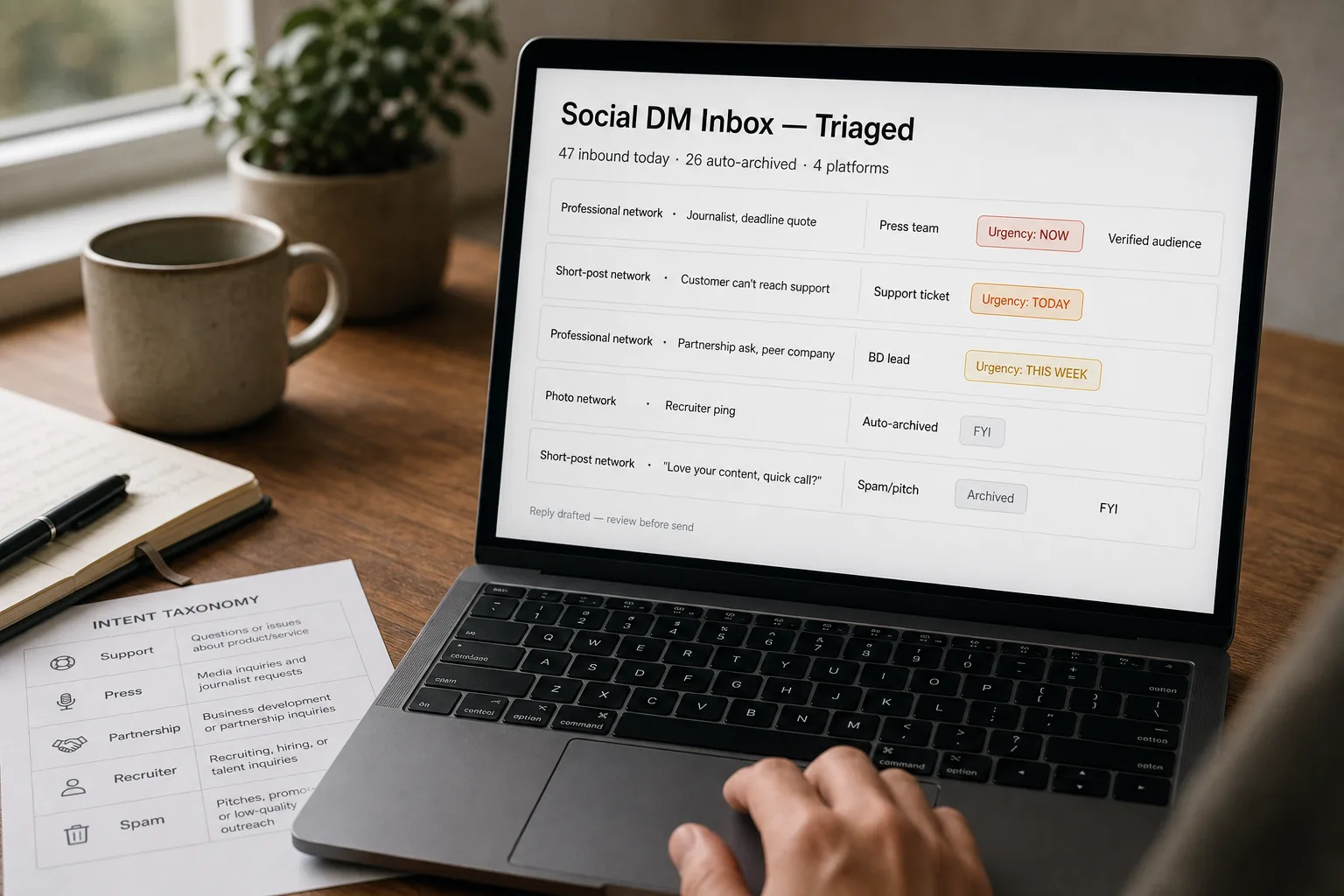
A founder opens her LinkedIn inbox at 11pm. The top message is a journalist on deadline asking for a quote. Below it: a customer who couldn’t reach support, a partnership ask from a peer company, three recruiter pings, a generic “I love your content, can I get on a call?”, and an interesting note from a customer who’s been with the company for years. She skims, replies to the journalist, makes a mental note about the customer, and the rest slowly slides down the list as new DMs arrive on Instagram, X, and TikTok.
The pattern is the same as triaging an inbound email queue, applied across social platforms. Classify each DM by intent, route to the right team or person, escalate the urgent cases. The platform-specific differences are real — different APIs, different rate limits, different cultural expectations per platform — but the core architecture transfers. This piece is that pipeline applied to social DMs, with the platform-specific quirks called out.
Where this fits — and where it doesn't
Use this if your social inbox volume crosses 30+ DMs per day across platforms, your role or company brand attracts inbound from multiple stakeholder types (customers, press, partners, recruiters), and the cost of missing important DMs is real. Common fits: founders with public profiles, content creators with growing audiences, executives at consumer-facing companies, comms teams managing brand inboxes.
Don’t use this if your DM volume is light enough that manual triage works, your social presence is purely personal (this is a business tool), or you can’t get API access to your platforms (some platforms have lockdown periods or per-account verification requirements).
What you'll need before starting
- API access to each social platform you want to triage. LinkedIn, Twitter / X, Instagram, TikTok all have business-API tiers; consumer accounts have more limited access.
- A social-management platform (Sprout Social, Hootsuite, Brandwatch) if you want a turnkey path. Custom builds work directly against platform APIs.
- A model API key — cheap-tier models handle this classification work.
- A topic taxonomy that maps to routing targets. Customer support → support team. Press → comms. Partnership → BD. Recruiter → talent. Personal / spam → archive.
- Routing destinations that exist — Slack channels, helpdesk tickets, CRM leads, email forwarding. The classifier surfaces; routing closes the loop.
Six steps to a social inbox that triages itself
- Pull DMs from each platform — respect rate limits and platform-specific quirks
Use each platform’s official API with appropriate authentication. Rate limits vary sharply (LinkedIn is strict on automation; Twitter’s DM API is increasingly metered). Pull on a schedule the platform tolerates; immediate-real-time is rarely necessary and increases risk of hitting limits. Capture metadata: sender profile (follower count, role from bio, mutual connections), message content, conversation history if any.
- Lock the topic taxonomy — 5–8 categories with one-sentence rules
The categories that work for most operators: customer support / question, press / journalist, partnership / BD opportunity, recruiter inbound, sales / business development, spam / pitch / cold outreach, personal / acquaintance, other. Define each with a one-sentence rule and 2 example messages. The taxonomy is the schema; without it, classification drifts.
- Classify with structured output — category, urgency, sender priority
For each DM, return: category, urgency (now / today / this week / FYI), sender-priority signal (verified journalist at major outlet, customer at named account, etc.), one-line summary. The sender-priority is what distinguishes this from generic email triage — social DMs come with public profile data, and that data is signal worth using.
- Route per category to the right downstream tool
Customer support DMs become helpdesk tickets. Press DMs go to a Slack channel the comms lead watches. Partnership DMs go to the BD CRM. Recruiter DMs go to a “recruiter” folder or are auto-archived with a polite reply. Spam goes to archive. Each route is deterministic — based on category, not on another LLM call. The routing layer is what makes the classification actionable.
- Generate suggested replies for the categories that benefit from one
Customer support and press benefit from drafted replies. Partnership often does. Recruiter and spam don’t — a generic polite-decline is fine. The reply generation should respect the platform’s tone (LinkedIn is formal; Twitter is casual; Instagram is conversational). Drafted replies route to the responsible person for review-and-send, not auto-send.
- Audit weekly — the misclassifications surface taxonomy gaps
Once a week, sample 10–15 classifications and check accuracy. The patterns of misclassification are taxonomy signals — a category that’s consistently mis-tagged means the rule isn’t clear; a new pattern that doesn’t fit any category means the taxonomy needs expansion. Tune the prompts and add example messages monthly.
What it costs and what to expect
The auto-archive rate is the metric to watch — that’s the volume the operator never has to see. The press-and-partnership detection rate is the quality lever; missing those is what makes operators distrust the system.
Other ways to solve this
Social-management platforms with AI inbox features (Sprout Social, Hootsuite, Sprinklr). Bundled inbox triage across platforms. Right answer if you already use one for scheduling and reporting.
Per-platform native filtering. LinkedIn lets you filter messages by sender criteria; Twitter has quality filters. Limited customisation; useful as a baseline layer beneath any custom pipeline.
Manual triage with a comms operator. Works at small scale or for high-touch executive inboxes. The AI pipeline doesn’t replace a skilled comms operator; it gives them leverage to handle more volume.
Closed DMs. Some founders disable DMs entirely or restrict to verified-followers-only. Defensible as a focus move; loses the inbound that includes genuinely-good opportunities.
Related work
For the email-side equivalent of this pattern, see Triage inbound email at scale. For the broader pattern of routing inbound messages to the right teams, see Auto-categorize support tickets. For the cross-channel feedback aggregation that DMs can feed into, see Voice-of-customer reports from cross-channel feedback. For the broader content of which platform-cultural-tone matters for replies, see First-draft marketing copy without the AI tells.
FAQ
What about Instagram and TikTok DMs — limited API access?
Instagram Graph API supports business accounts with appropriate setup; consumer accounts have far less programmatic access. TikTok's messaging API is restrictive and growing. For platforms with limited APIs, social-management platforms (Sprout, Hootsuite) often handle the integration on your behalf via their official partnerships. Custom builds are easier on LinkedIn and Twitter; consumer-focused platforms are harder.
How do we handle group DMs and message threads?
Treat the whole thread as context, classify the latest message. If the thread changed topic (started as a sales conversation, became a support question), the classifier should follow the topic shift. Don't try to classify each message independently within a thread; the conversational context is the signal.
What about platform terms of service — is automating DM management allowed?
Varies. LinkedIn restricts automation tightly; Twitter is more permissive at the API tier; Instagram requires the Graph API path. Stay within the official APIs; third-party tools that scrape or automate outside the platform's APIs risk account suspension. The social-management platforms have negotiated official integrations and are the safer path for compliance.